
How to Master Account-Based Insights with the New Account Feedback Report
In the world of B2B customer feedback, understanding the sentiment of a single contact is important, but understanding the health of an entire account is vital. For our LoyaltyLoop Premier users, we’ve always prioritized the ability to see the "big picture." This month, we are excited to take that a step further with the launch of our new Account Feedback Report.
One Pane of Glass for Your Key Accounts
The beauty of a successful customer experience management strategy lies in its clarity. Our new feature allows you to roll up your data effortlessly. By default, LoyaltyLoop can group feedback by email domain, or you can customize the roll-up using any data from your survey launch, such as a specific company name.
This means you no longer have to hunt through individual responses to get a sense of how a client is doing. Instead, you get a unified view of your Account-Based CX metrics in one place.
Professional Reports for Your Next QBR
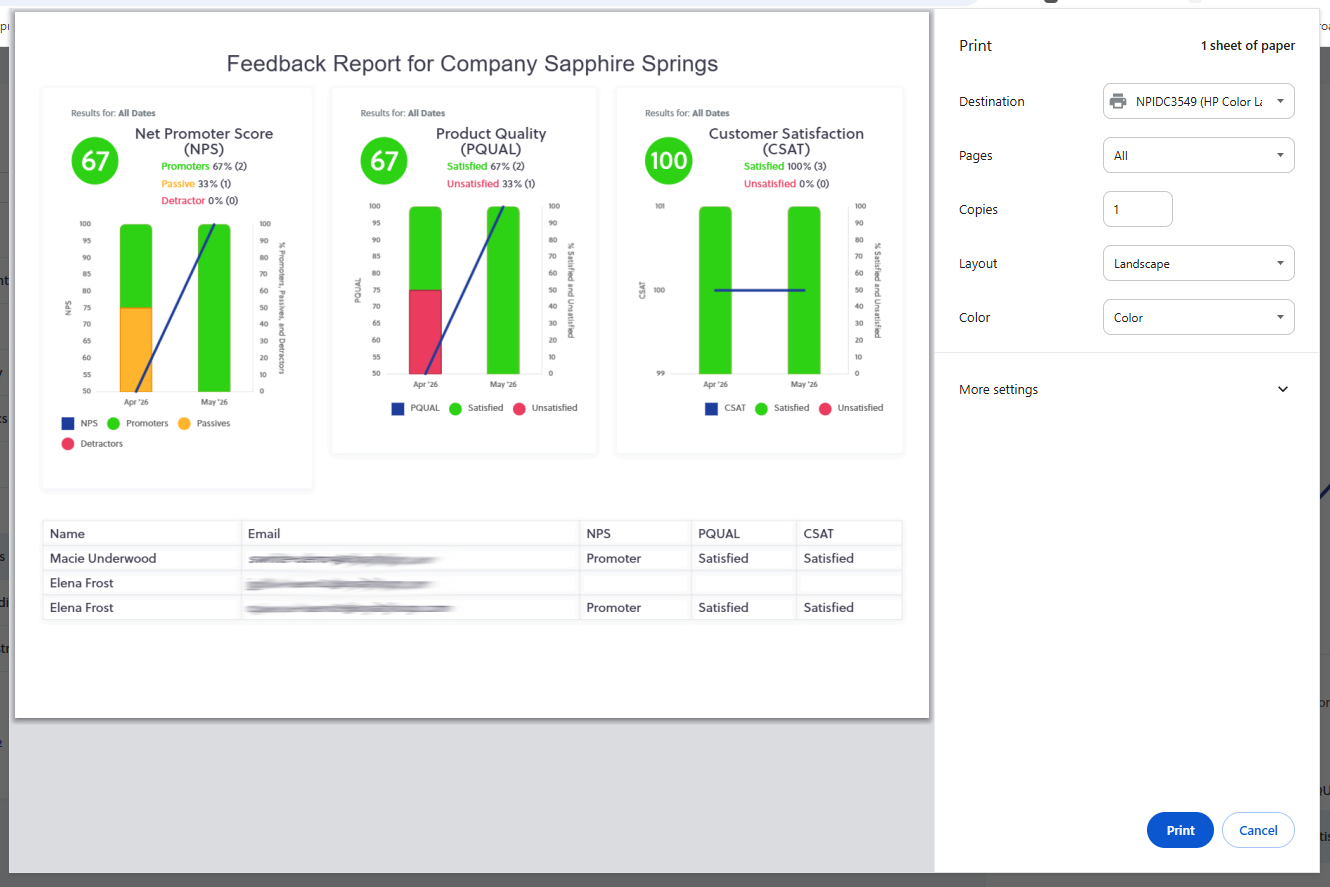
We know that Quarterly Business Review (QBR) reports are the cornerstone of B2B relationship management. To help you shine in these meetings, the Account Feedback Report is designed to be printed as a high-quality graphical report.
When you print this report, you get a professional summary chart showing the account’s experience metrics, like your Net Promoter Score by account tracked over time. It’s the perfect collateral to bring to a meeting to demonstrate your commitment to their success and show exactly how the relationship has trended.
From High-Level Strategy to Detailed Feedback
While the summary chart gives you the "what," our detailed table shows you the "who." Along with the visual trends, the report includes a table of every contact associated with that account who has provided feedback.
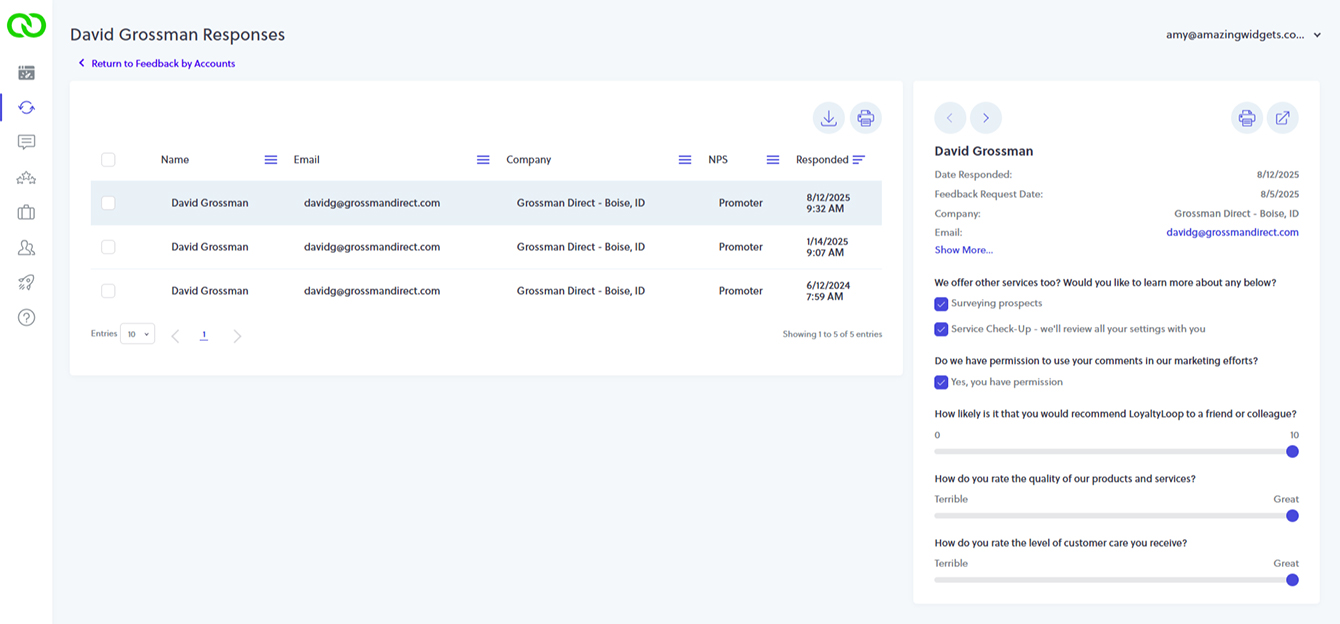
Need more context? The digital view is fully interactive. Simply click on a contact’s name to jump directly to their full response history. Whether you are looking at a piece of paper or your screen, you have a complete, 360-degree view of the account's perspective.
How to Get Started
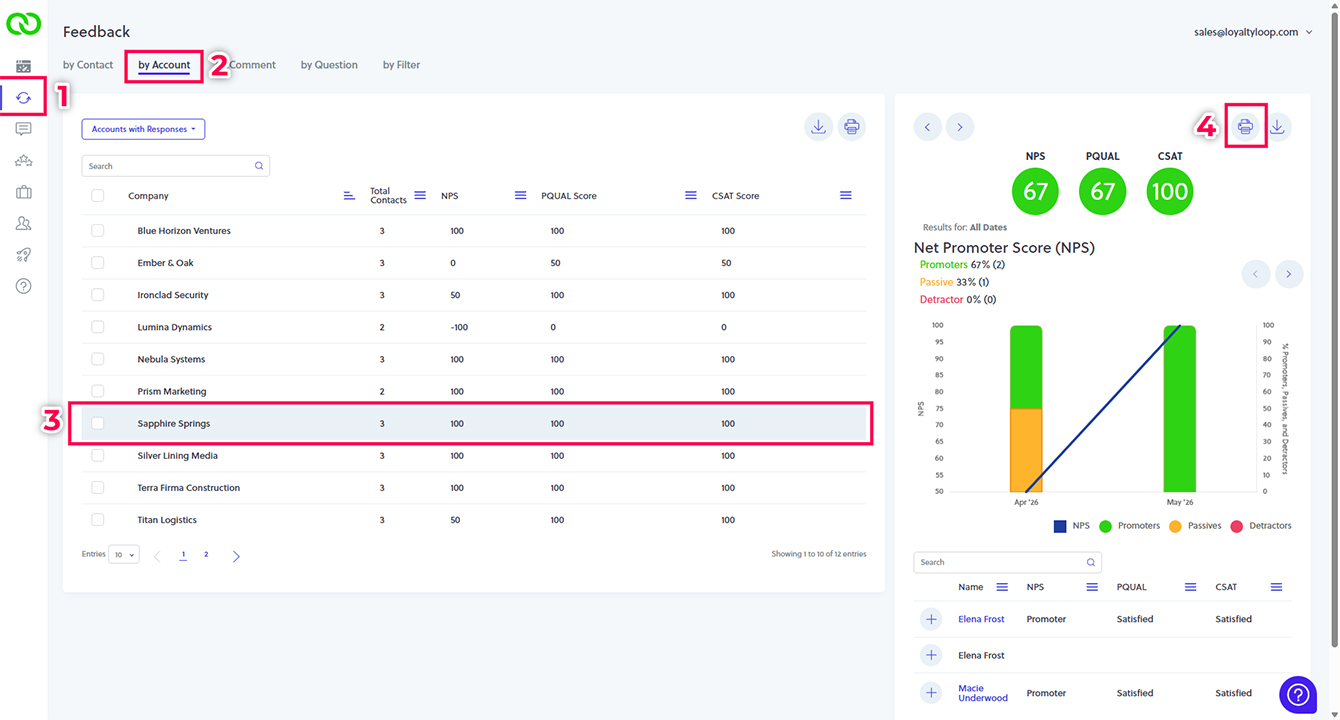
Accessing this new feature is simple:
- Navigate to Feedback in your LoyaltyLoop dashboard.
- Click the Feedback by Account tab.
- Select the account you wish to review.
- Use the Print button on the right panel to generate your graphical report.
Conclusion & Call to Action
Understanding your accounts shouldn't be a manual labor of love. With the Account Feedback Report, LoyaltyLoop makes it easier than ever to visualize account health, prepare for high-stakes meetings, and drive long-term loyalty.
Ready to see how LoyaltyLoop Premier can transform your B2B relationships? Schedule a Demo Today
Schedule a DemoFrequently Asked Questions
Q: Can I group accounts by something other than email domain?
A: Yes! While email domain is the default, you can roll up feedback by any data field included in your survey launch, such as Company Name or Account ID.
Q: Is this report available on all LoyaltyLoop plans?
A: The Account Feedback Report is an exclusive feature for our LoyaltyLoop Premier plan members.
Q: What metrics are included in the graphical summary?
A: The report highlights key CX metrics, including Net Promoter Score (NPS), visualized over time to show trends and progress.