
NEW - Clickable Campaign Statistics
View the details of your launches and email campaigns

Photo by Brett Jordan on Unsplash
We've released a new enhancement to the Campaign feature in LoyaltyLoop. You can now drill into the details of your LoyaltyLoop Campaigns and see your contacts who had undeliverable email addresses, who was delivered your emails, who opened them, and who opted out from them.
Click the Launches tab from the left main menu (1), then click the "Campaign History" tab on the top menu (2). Here you'll find a listing of all of your campaigns; comprised of Survey Launches, Survey Reminders, Social Media Follow Ups, and Email Campaigns. By clicking on the numbers in the tables (3), you can view the contacts in each category:
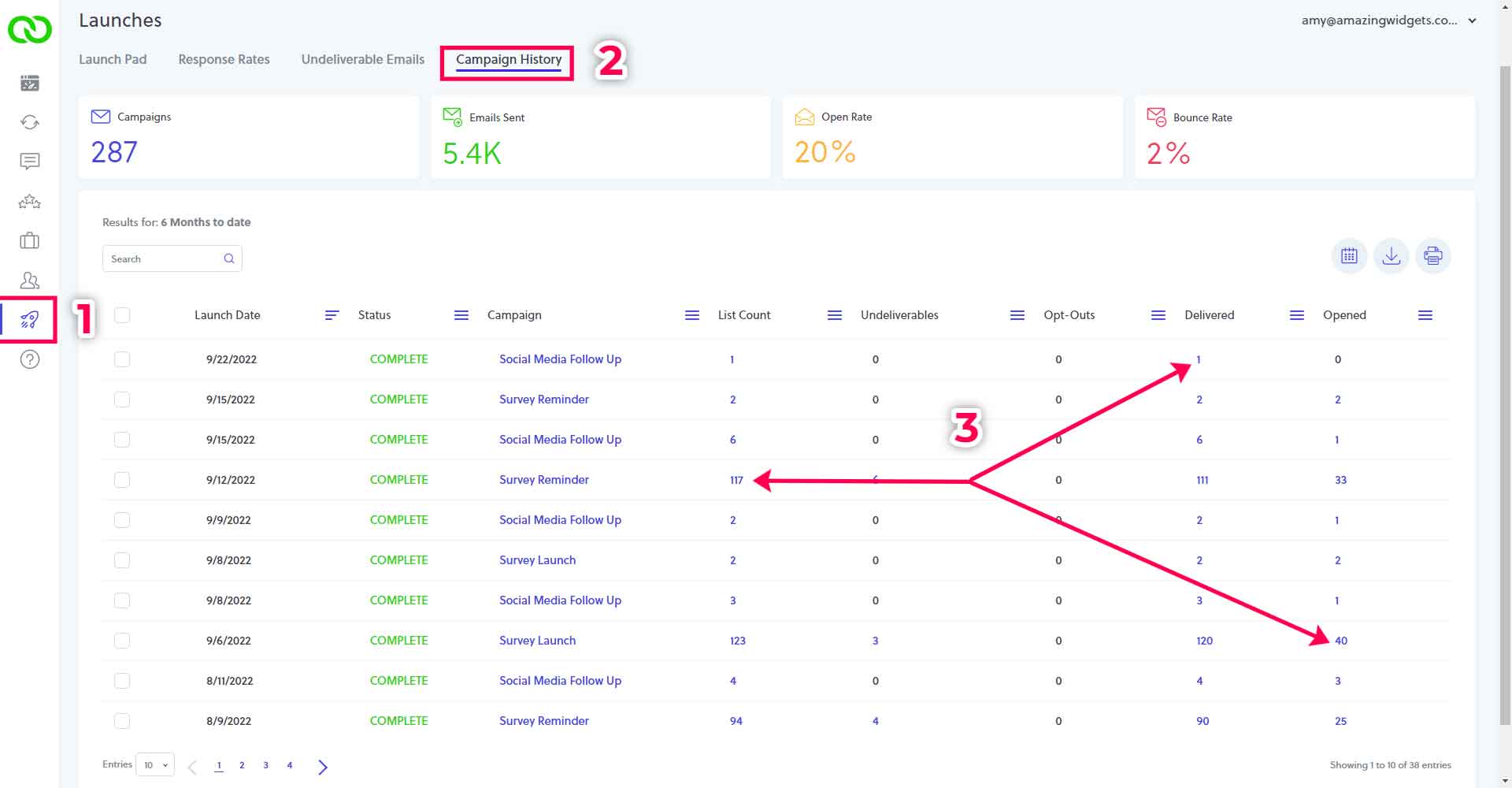
1 You can see who was on the initial list and by clicking on the number in the "List Count" column, and you can see their details in the right-hand preview pane by clicking each individual row.
2 Click on the number under "Undeliverables", if there is a clickable number, to see the emails that had issues when sending. Check the email addresses to see if any contact information in your system of record needs to be updated.
3 If you click on a number under "Opt-Outs", you can see who on the list has been opted out since the emails were sent.
4 The number under "Delivered" will show you the list of contacts for whom emails have been successfully sent.
5 And lastly, the number under "Opened" will show you those contacts who opened your email, or the email client indicated it was opened.