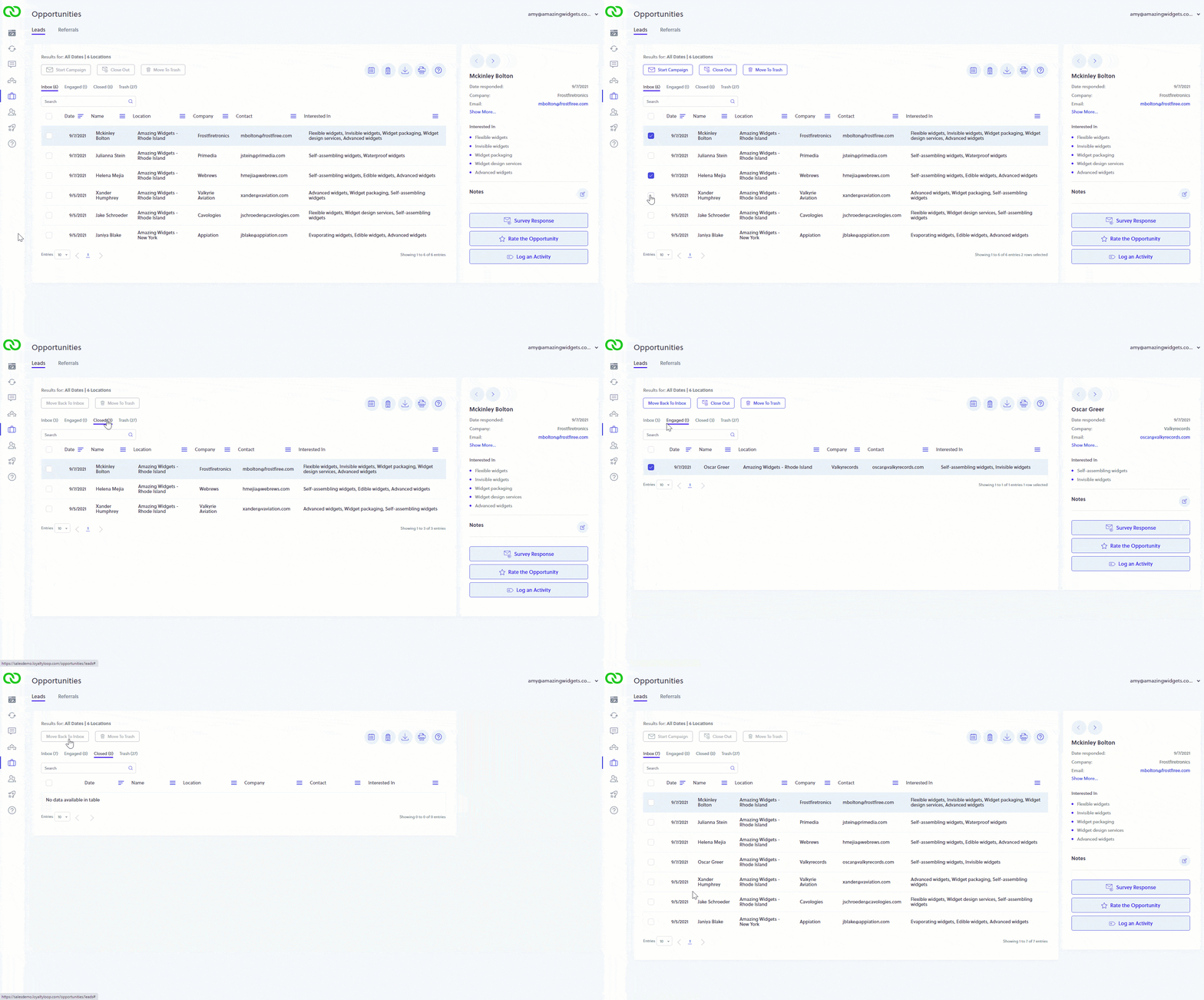
Did you know you can manage your Leads & Referrals flow like an Inbox?
As your survey uncovers new sales opportunities from your loyal customers, you can keep track of your sale status easily. Once you've followed up, select those Leads and click "Close Out". This moves these Leads to your Closed box, leaving only those untouched fresh opportunities in your Inbox.
If you send a LoyaltyLoop Campaign to follow-up with your Leads, they will be moved automatically to the "Engaged" box. When the sales process if finished, set them to "Close Out". Need to move an engaged or closed Lead back to your Inbox for more follow-up? Just click "Move Back To Inbox".