NEW - Email Friendly Names
Make your emails even more personal
When viewing emails in email client software and services like Outlook, Gmail and others, many display a "friendly name" associated with your email address. This friendly name is a label that you can apply, that way when recipients view emails in their email client software, it displays as from "John Smith" instead of "jsmith@amazingwidgets.com".
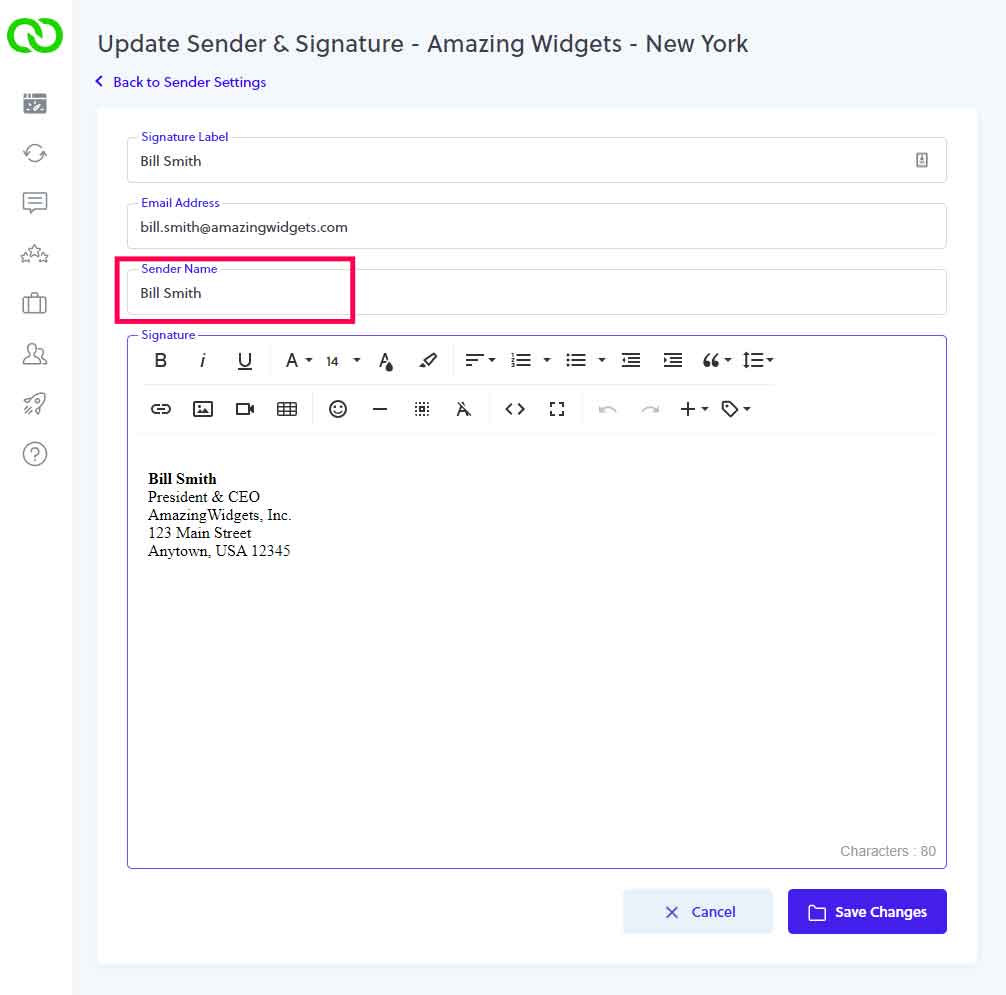
We've updated LoyaltyLoop so you can create your friendly name for all your LoyaltyLoop emails. You set your friendly name inside your Senders & Signatures settings. Here's how: Click Settings, then the location in question, then Senders & Signatures. Edit your signature, and you'll now see a new field called Sender Name - this is your "friendly name". Just enter the name as you want it to appear and click Save Changes. Simple.
Keep in mind that while most popular email clients like Outlook and Gmail display a friendly name, some email clients may not. Regardless, you can see it takes seconds to update this in your account and is yet another way that you can personalize your emails as sent to your customers from LoyaltyLoop.