Did you know you can opt-out a person or company you've already surveyed?
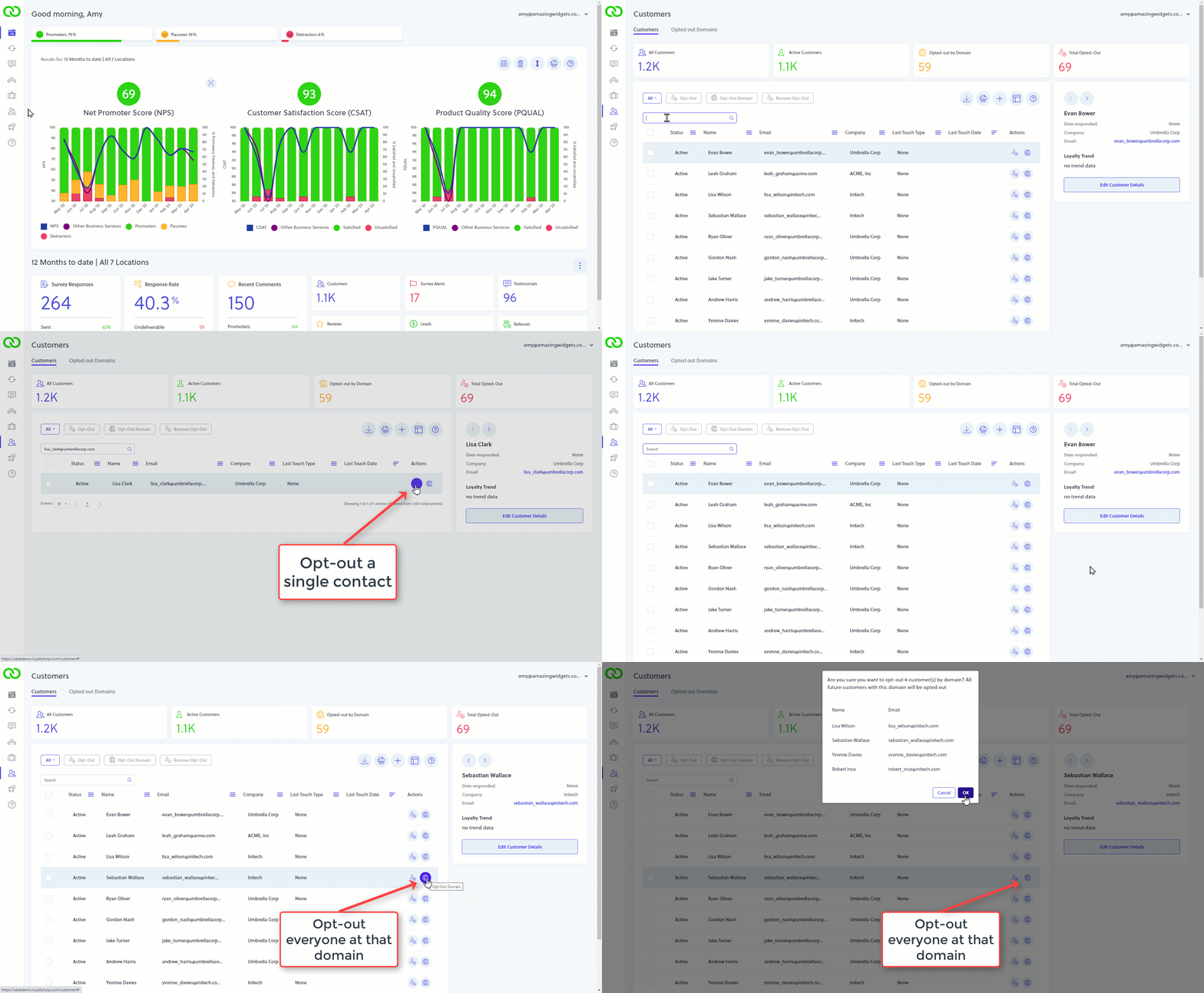
To remove a person from receiving your LoyaltyLoop survey in the future, you simply add them to your opt-out list from the Customers tab. Search for the person you wish to opt out, then click the opt-out icon next to their name. Going forward, if this contact's email address is appears in your survey launch data, LoyaltyLoop will not survey them.
Need to remove an entire company from receiving your survey, not problem. Search for a contact at the email domain in question. Then, click the opt-out domain icon on their row. A confirmation box will be shown with all the contacts that match that domain. Click OK and all those contacts will be added to your opt-out list.