Did you know you can opt-out a person or company even if they haven't been surveyed yet?
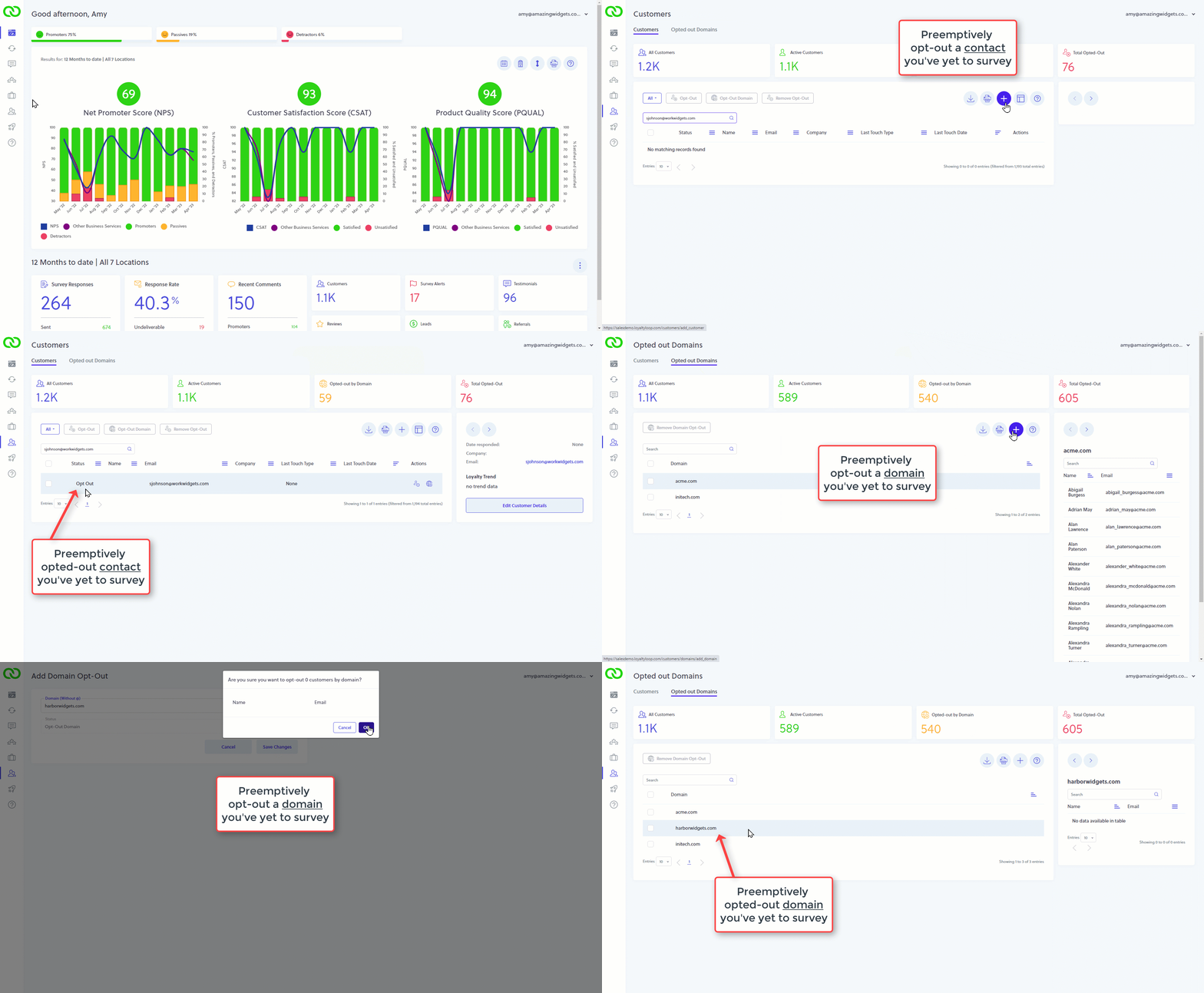
On your Customers tab, search for the person to opt-out. If you don't find them, no problem. Click the plus (+) button to add the contact as an opt-out. The only info you need to add is the person's email address. Once added, LoyaltyLoop will not send that person your survey should their email address ever appear in your survey launch data.
If you want to opt-out an entire company that you've yet to survey, click Opted Out Domains, then the plus (+) button to add the domain name of the company. Once added, LoyaltyLoop will not send to anyone from that domain, should they ever appear in your survey launch data.