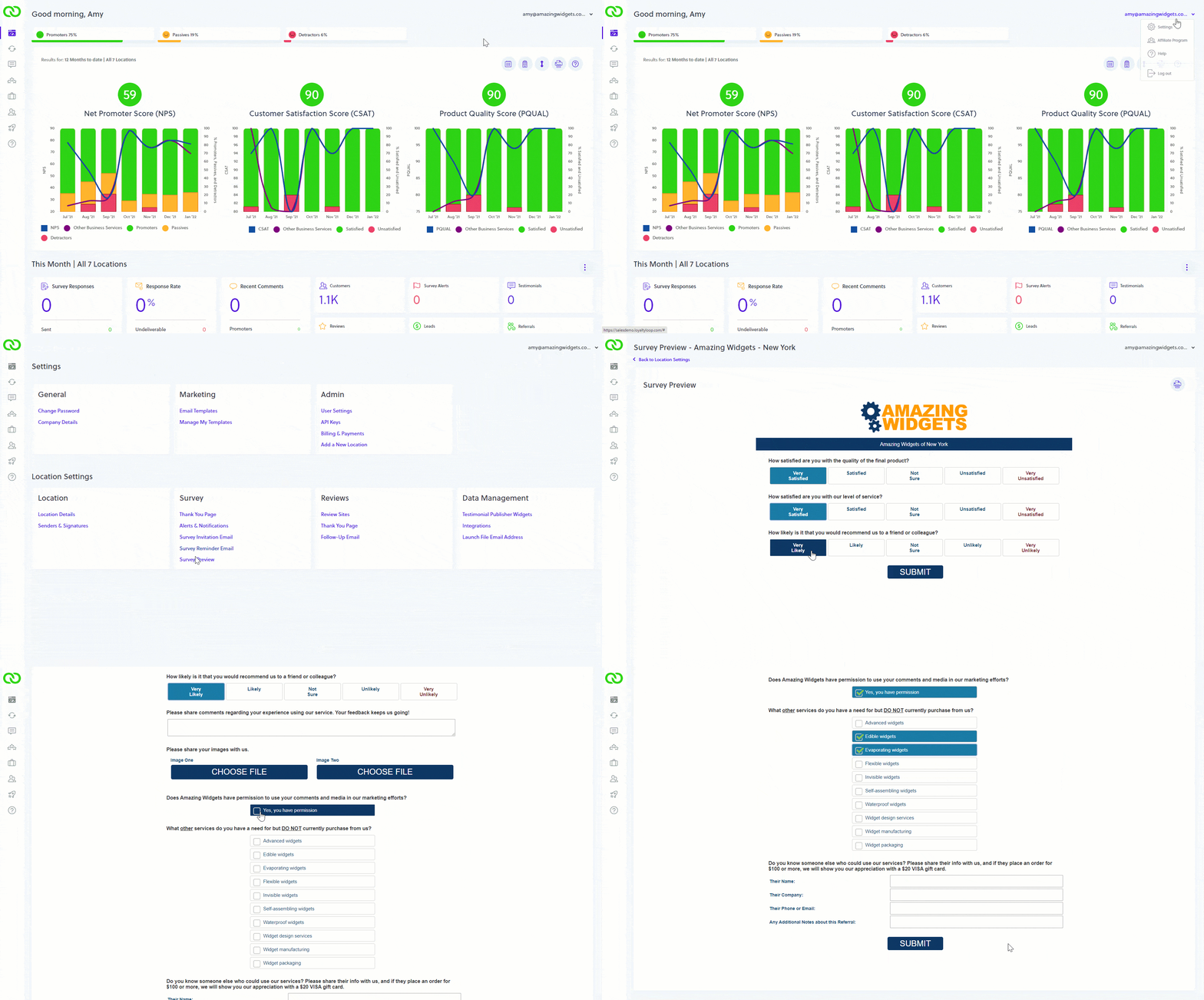
Did you know you can preview your survey in Settings?
From time to time it's a good idea to review your survey, and ensure everything is up-to-date. To view your survey, click your username, Settings, then Survey Preview.
Click through it as if you're a respondent. If you see changes that are needed, or you want to add or remove elements, reach out to our support team, and we'll be happy to help.