
 New ReviewMatchSM feature
Auto-match Google reviewer to a customer
Included with Pilot, Promoter and Premier plans
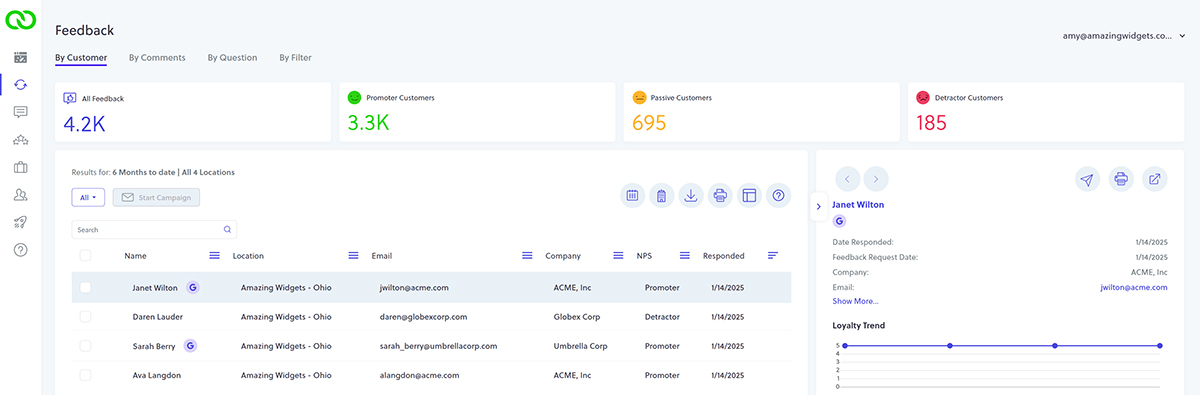
As announced earlier this month, here is a great new feature relating to Google reviews called ReviewMatchSM that addresses a pain point - knowing which customer in LoyaltyLoop posted a Google review. This feature compliments the existing functionality on the Reviews tab, which allows you to monitor and reply to Google reviews.
Reminder: You must first connect your Google Business Profile to LoyaltyLoop to take advantage of ReviewMatch, as well as monitoring and replying to Google reviews.
The Google API is robust, but does not provide a means to uniquely identify a reviewer. They provide no unique reviewer ID, email address, nor anything else that can uniquely identify the reviewer. All they provide is the user's Google name, the date of the review, and the review itself.
However, with our ReviewMatch feature, LoyaltyLoop can now automatically match a Google reviewer to your customer contacts. This intelligent algorithm compares the various elements of the customer's survey response to the details of your Google reviews. Using pattern matching and weighting of various elements to determine the probability of a match.
For example, we compare the customer's name as it appears in your source data and LoyaltyLoop to the reviewer's Google username, the date of the LoyaltyLoop engagements to the dates of your Google reviews, and compare your survey comment to the actual posted review on Google. Based on that algorithm, LoyaltyLoop identifies which Google reviewers match your specific customer with a high probability.
There are 4 ways to see ReviewMatch in action.
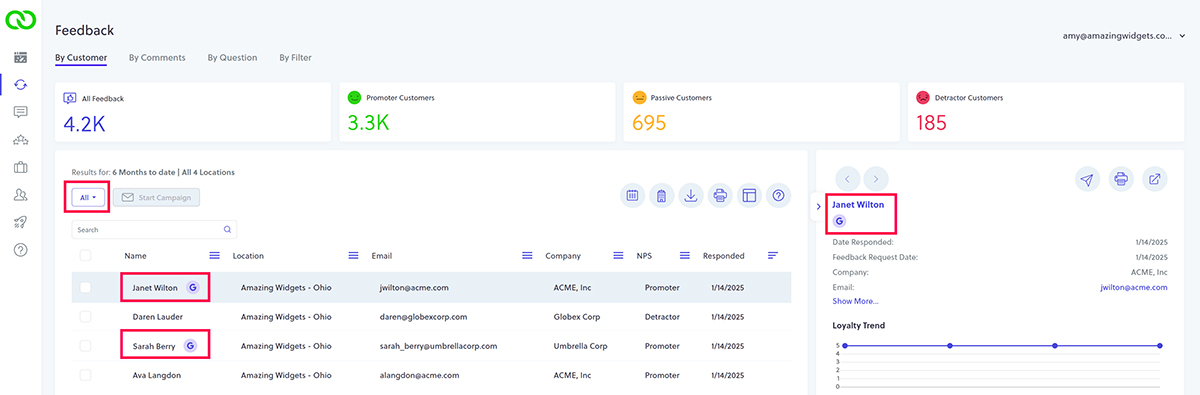
- A ReviewMatch is identified when you see the Google "G" icon next to the customer's name in the tables such as Feedback by Contact and Feedback by Comment.
- You will also see the G-icon treatment next to the customer's name on the detailed feedback panels, such as the right panel on
Feedback by Contact.
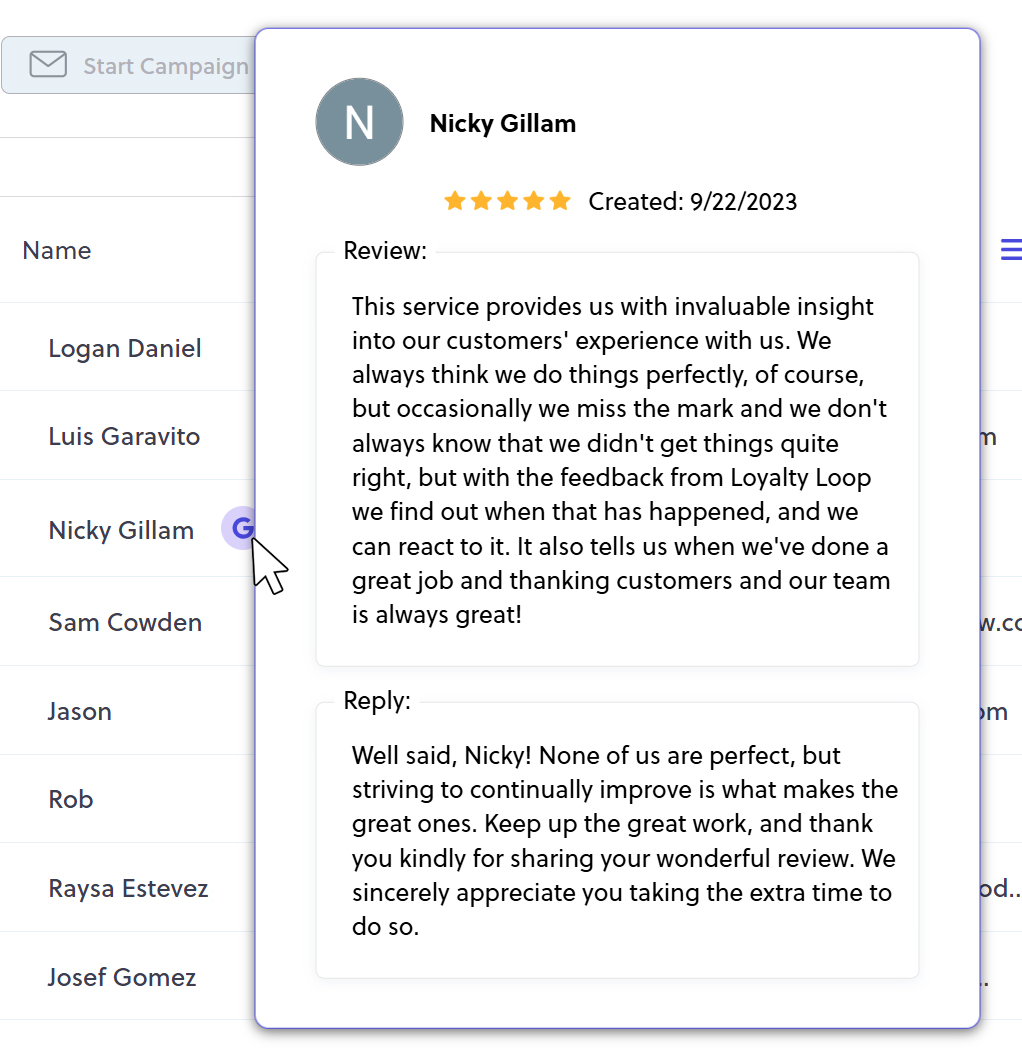
- Hovering over the G-icon will show you that customer's Google review in a card.
- On the Reviews tab, if the reviewers name is a link that indicates a ReviewMatch. Clicking the link will take you to that customer's feedback, showing al of their responses.
The ReviewMatch treatment is helpful in and of itself, by finally allowing you to see which customers actually posted a Google review. Keep in mind, the treatment indicating a customer posted a review is not specific to that particular survey response. It means that based on the weighted matching of various elements, LoyaltyLoop determines a specific customer has a high match to a reviewer, which may or may not be the specific response you're viewing.
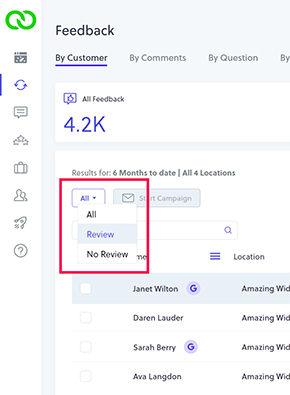
In addition to simply knowing who posted a review, initially, this feature will help you isolate and run manual follow-up campaigns to customers who posted, and customers who did not post a review. On Feedback by Contact, you'll now see a new filter in the upper left above the table. By default, the filter shows "All" customers regardless if they posted a review. However, you can now set the filter to show all customers (over the selected date range and locations) that posted, or did not post, a review. You can then run your manual follow-up campaigns to each group as you see fit.
As I'm sure you can imagine, the ReviewMatch feature will pave the way for more advanced capabilities surrounding review requests. Feel free to share your ideas and feedback regarding features you'd like to see that leverage ReviewMatch.