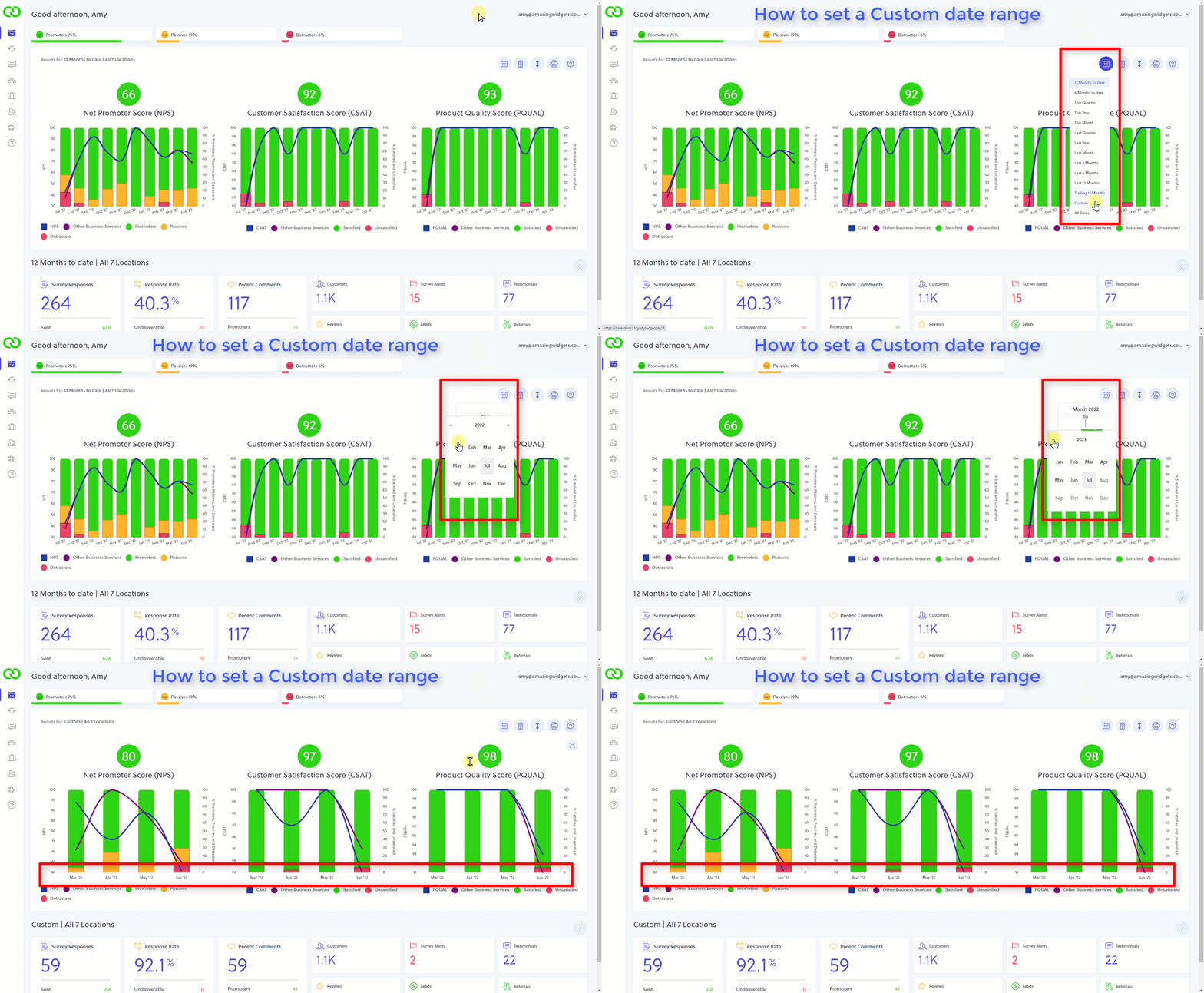
Did you know you can set custom date ranges?
When viewing your results in LoyaltyLoop, you can use the date picker widget to choose a predefined date range, but you can also set a custom date range.
Click "Custom" from the date picker, then choose the start and end dates. If you want to view results for a single month, set the start and end dates to be the same month.