
Update Your Password Manager
We're Updating the LoyaltyLoop app URL
Some of our sharp-eyed customers may have noticed that the URL you use when accessing LoyaltyLoop reflected our original company name (app.surveyadvantage.com) before we became LoyaltyLoop.
Our URL will be updated to app.loyaltyloop.com shortly. You will not be affected by this change, UNLESS you use password manager software to access LoyaltyLoop via the Login button at loyaltyloop.com.
We will continue to support access via app.surveyadvantage.com, which means if you access LoyaltyLoop directly from your password manager software or bookmarks, this will continue to work fine.
However, if you use a password manager, and you access LoyaltyLoop by clicking the Login button at loyaltyloop.com, your password manager will not recognize the new URL (app.loyaltyloop.com).
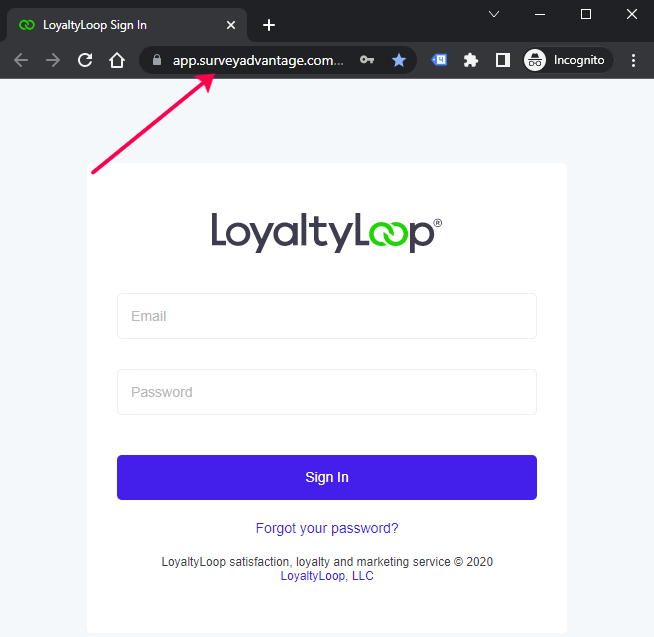
Here's how to update your password manager
1. First, make sure you know your LoyaltyLoop username (email address) and password (in your password manager).
2. Go to our website (https://www.loyaltyloop.com) and click the Login button. Enter your username and password, and your password manager should ask you to record the newly recognized site (app.loyaltyloop.com), and you're all set.
3. To manually update your password manager entry, you'll need to follow that software's instructions.
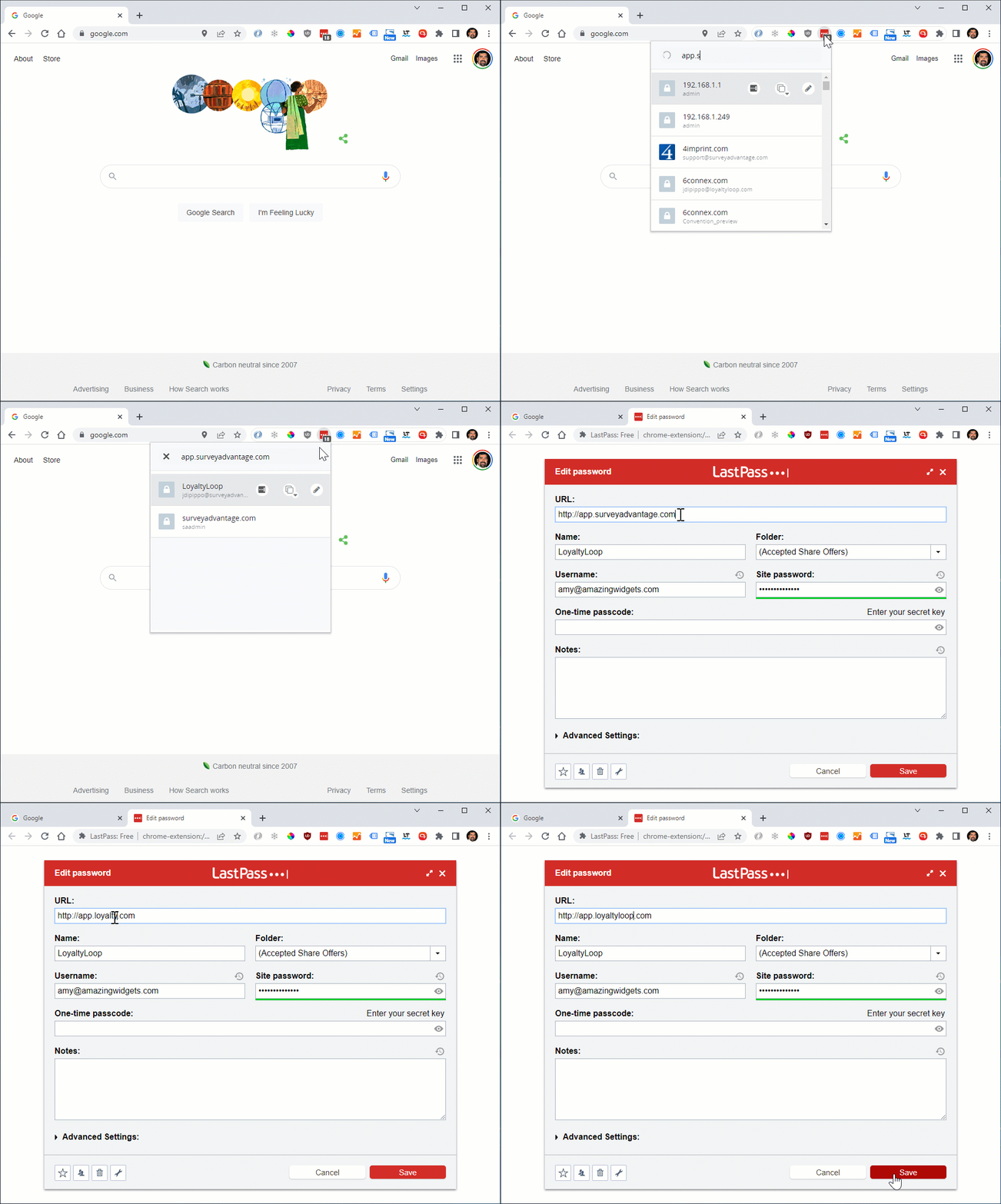
For example, if you use LastPass, click the LastPass icon in your browser bar, and search for app.surveyadvantage.com. Click the pencil icon next to that entry, and replace the URL app.surveyadvantage.com with app.loyaltyloop.com. Save the change and you're done.
If you get stuck and need help, just give us a call (888-552-5667 option 3) or drop us an email (support@loyaltyloop.com).