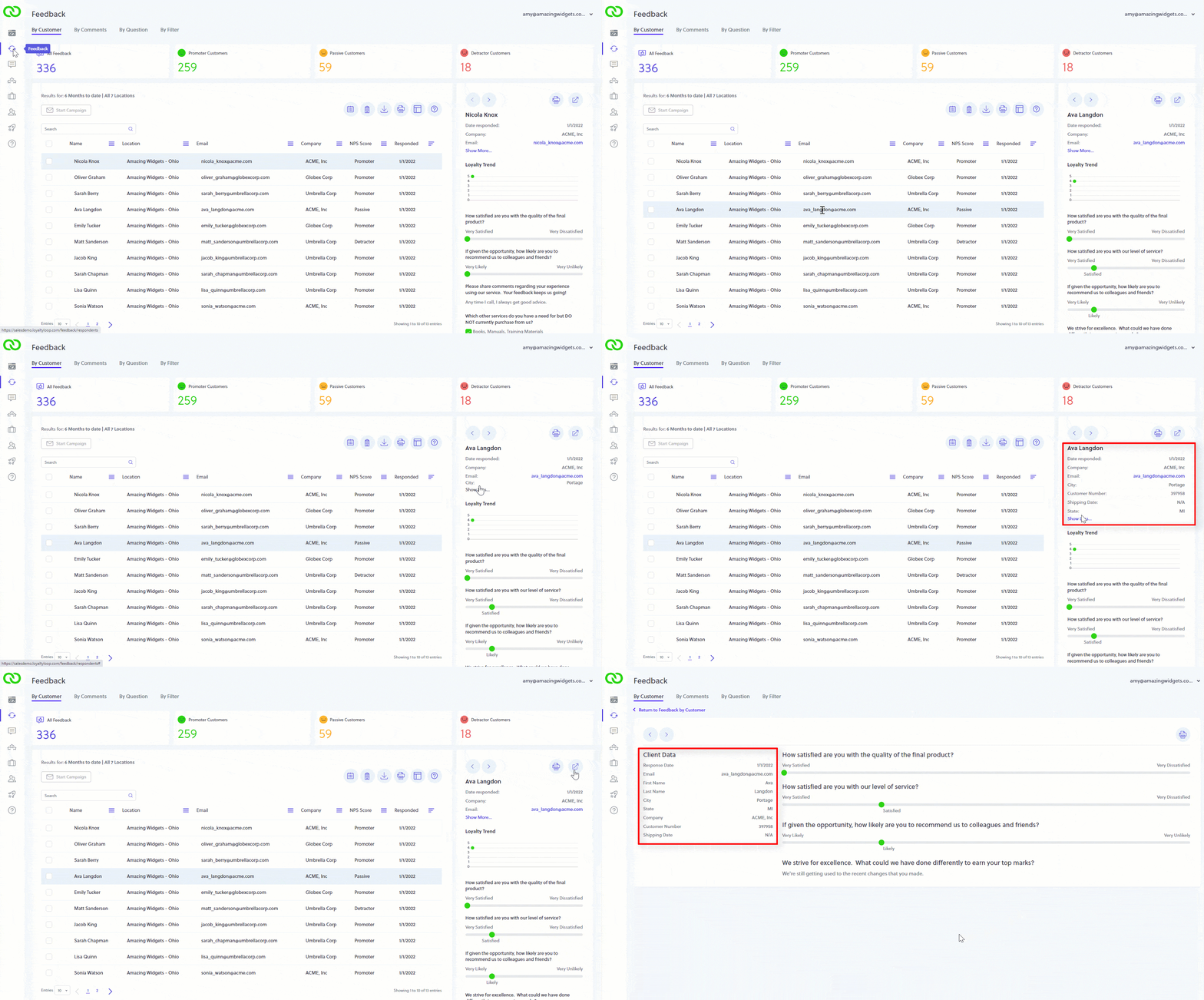
Did you know you can view a customer's launch data with their response?
Go to Feedback, find the customer, and click the "Show more…" link to see their launch data, or click expand icon in the upper right corner of the customer's detailed response to view their survey response and launch data on a single screen.
"Launch" or "Client" data is the additional customer info you include in your reports (or uploads) of who to survey. Including Client Data adds context to a customer's survey response, and you can run advance reports in Feedback by Filter to summarize results.