
7 Strategies to Increase Survey Response Rates and Get Better Feedback
We have all been there. You spend hours crafting the perfect customer survey, you hit "send" to your distribution list, and then... silence.
It is easy to blame "survey fatigue." We assume customers are just too busy or too bombarded with emails to care. While that is partially true, the reality is often more within our control. Low response rates are frequently the result of friction in the user experience, poor timing, or a lack of clear value for the customer.
If you are wondering how to increase survey response rates, the answer lies in respecting your customer's time and making the process effortless. Moving the needle on engagement isn't just about getting more data; it’s about improving data quality in surveys so you can make smarter business decisions.
Here are 7 proven strategies to increase survey response rate and ensure your customers actually look forward to giving you feedback.
Perfecting the Delivery
1. Nail the Timing
When it comes to feedback, context is king. If you ask a customer how their experience was three weeks after the fact, they likely won't remember the details, if they remember the interaction at all.
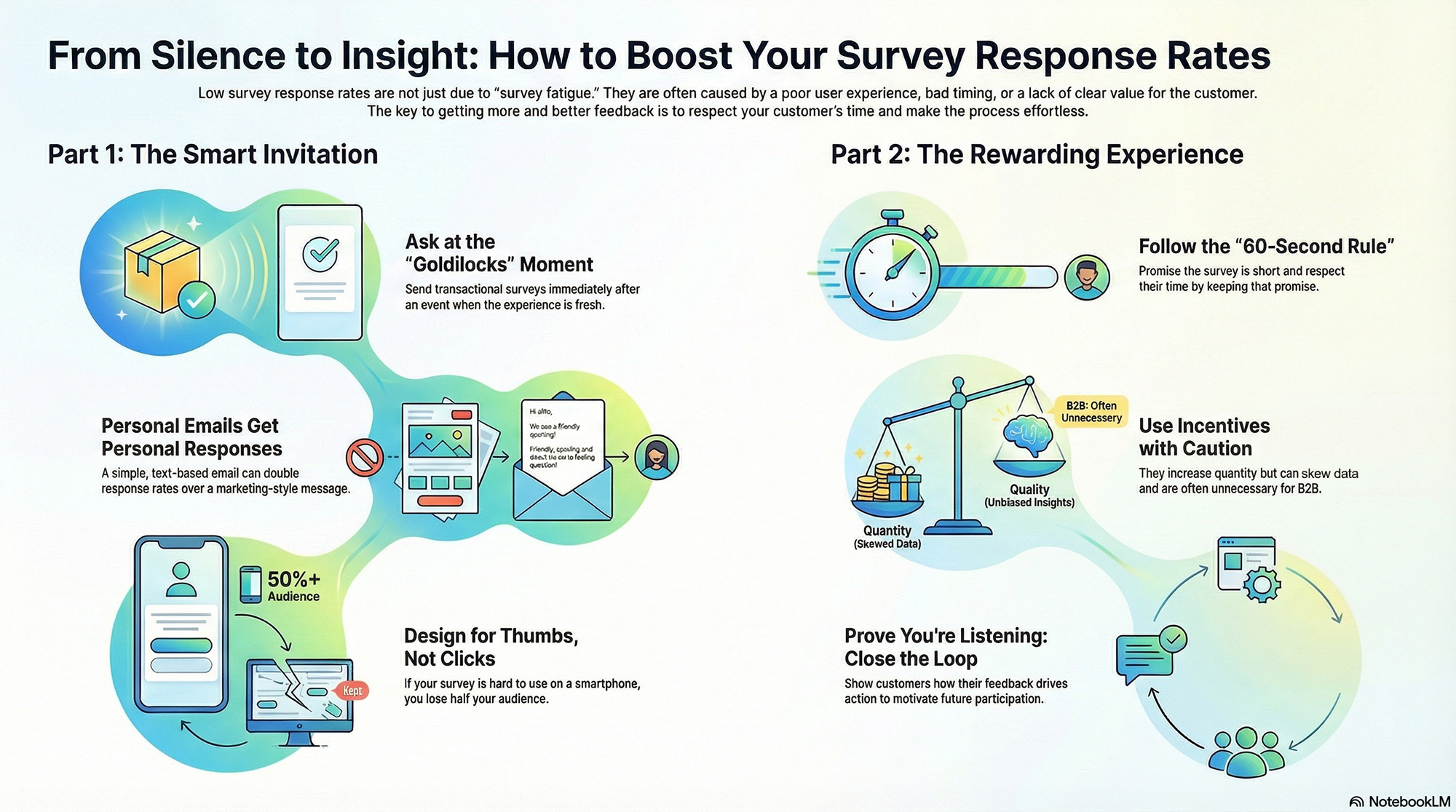
Determining the best time to send customer surveys depends on your business model and your strategies to increase survey response rate. For transactional feedback (like a support ticket or a product delivery), the "Goldilocks window" is usually immediately after the event. The experience is fresh, and the emotional connection is highest.
For relational surveys (measuring overall loyalty), avoid sending them during your customer’s busiest season. If you are a B2B software provider for accountants, do not send an NPS survey in April. Respecting their schedule shows you understand their world.
2. Craft Click-Worthy Subject Lines
Your email subject line is the gatekeeper. If it doesn't get opened, the survey doesn't get taken. Generic lines like "Feedback Request" or "Take our survey" are easy to ignore.
To optimize your survey email subject lines, focus on personalization and value.
- Bad: "Customer Survey 2024"
- Better: "How did we do on your recent project, [Name]?"
- Best: "A quick question regarding your service experience..."
The goal is to sound like a human asking for help, not a robot asking for data.
Reducing Friction
3. Make it Personal
The biggest barrier to survey completion is the initial click. When you send a personal email to one of your customers, chances are they open it. If you send an email that looks like marketing, they may not open it. This is one of the best strategies to increase survey response rate: just like sending an email to a customer about a quote, or a past-due invoice, make your feedback request email feel personal and transactional, not marketing.

Ensure your email or SMS requesting feedback reads like any other business communication you would send your customer. Unless you usually embed graphics and other graphical content in your business transaction emails to customers, avoid doing this with your email requesting feedback. Write the email in the way you speak to customers, using words and phrase you typically use, and remember to include your actual email signature. The email requesting feedback should appear as if you had just clicked “compose” in your email client, and wrote the email to your customer. Include the link to your survey. While a link may seem like more friction for your customer, it is a more personal approach.
At LoyaltyLoop, we find that this "personal" approach significantly boosts engagement because it respects the customer's relationship with you. This single strategy can double your response rates overnight.
4. Adopt a Mobile-First Mindset
If your survey is hard to read on a smartphone, you are alienating half your audience. Mobile survey optimization is no longer optional.
Test your survey on an actual phone before sending it. Are the buttons large enough to tap with a thumb? Is the text legible without zooming? Does the page load instantly? If the experience feels clunky on mobile, a user will abandon the survey within seconds.
Psychology and Motivation
5. Weigh the Pros and Cons of Incentives
Should you pay customers to take your survey? This is a common debate. When considering survey incentives pros and cons, you must balance volume against bias.
- Pros: Offering a discount code or entry into a raffle definitely boosts the quantity of responses.
- Cons: It can skew the data. Respondents might give you a higher score just to be "nice" and get the reward, or you might attract people who only care about the prize, not the feedback.
Pro Tip: For B2B businesses, incentives are rarely necessary. The best "incentive" is simply letting the client know that their feedback will help you serve them better. See step 7!
6. Keep It Short (The "One Minute" Rule)
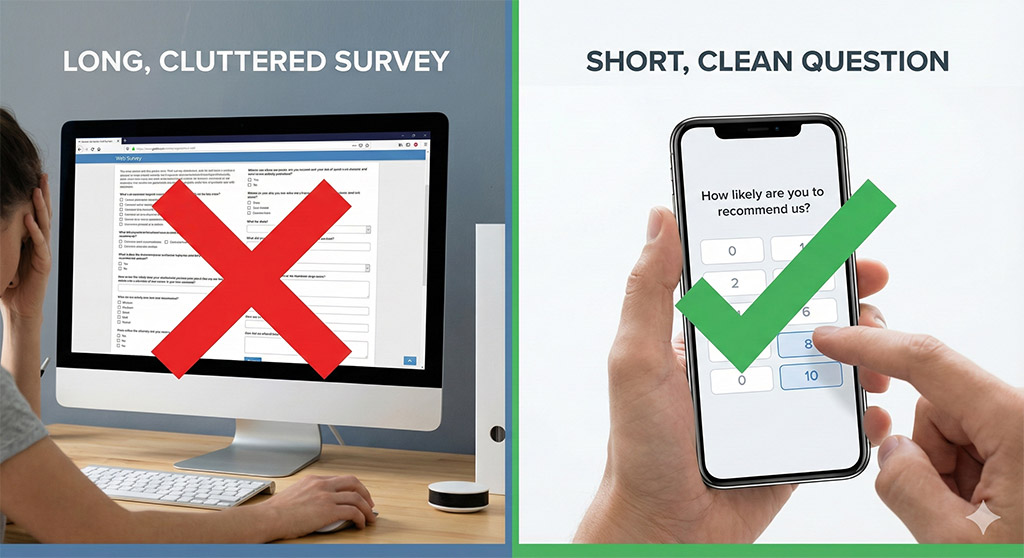
Respect is the ultimate currency. If a customer opens your survey and sees "Page 1 of 10," they will close the tab immediately.
To get better feedback, keep your surveys laser-focused. Ask the one or two metrics that matters (like NPSor CSA) and follow up with one open-ended question. If you promise the survey will take "less than 60 seconds," tell the customer this to set expectations, and then make sure you keep that promise. Brevity signals that you value their time more than your own curiosity.
7. Close the Feedback Loop
This is the most overlooked strategy of all. Customers stop answering surveys because they feel their input goes into a black hole. If they complained last time and nothing changed, why should they bother complaining again?
When you close the loop - by following up with a customer to resolve an issue or sending a newsletter highlighting changes made based on customer feedback - you prove that you are listening. When customers see that their voice drives action, they become conditioned to respond to your next survey.
Conclusion
Increasing your survey response rates isn't about tricking customers into clicking; it is about creating a seamless, respectful exchange of value. By optimizing your timing, embracing mobile-friendly design, and proving that you listen and take action, you will not only see your response rates climb, but you will also unlock the rich, actionable insights that drive true business growth and profit.
Ready to automate these strategies to increase survey response rate? LoyaltyLoop helps you send perfectly timed, mobile-optimized surveys that customers actually want to answer.
Schedule a live demo to see LoyaltyLoop in Action
Schedule a DemoFrequently Asked Questions (FAQs)
Q: Why are my customer survey response rates so low?
A: While it is common to blame "survey fatigue," low response rates are frequently caused by friction in the user experience, poor timing, or a lack of clear value for the customer. To increase engagement, you must respect your customer's time and ensure the process is effortless.
Q: What is the best time to send a customer satisfaction survey?
A: Context is king; for transactional feedback, the ideal time is immediately after the event when the experience is fresh and the emotional connection is highest. However, for relational surveys, you should avoid sending them during your customer’s busiest season to demonstrate that you respect their schedule.
Q: Should I offer incentives to customers for completing surveys?
A: There are pros and cons to this approach; while rewards like discounts can boost the quantity of responses, they can also skew data quality by encouraging bias or attracting people who only care about the prize. For B2B businesses, incentives are rarely necessary because the best "incentive" is letting the client know their feedback will actually result in better service.
Q: How long should a customer survey take to complete?
A: To signal that you value your customer's time, you should aim for the "One Minute" rule. To get better feedback, keep your surveys laser-focused by asking one or two key metrics (like NPS or CSAT) and following up with a single open-ended question.
Q: How can I get more customers to open my survey emails?
A: The biggest barrier is the initial click, so you should ensure your email feels personal and transactional rather than looking like a marketing message. Avoid generic subject lines and heavy graphics; instead, write the email as if you were personally composing it to a client, including your actual email signature.