
Did you know Admin Users can set and lock alerts for other Users?

Photo by Brice Cooper on Unsplash
Ensuring your team stays informed about customer feedback, is a critical part of delivering outstanding customer experiences. LoyaltyLoop provides a number of alerts and notifications to keep your team in the loop. But did you know that Admin users can set and lock the alerts of Standard users?
Below is a video explaining exactly how to use this powerful Admin feature. The basic steps for Admin users are:
- Click your username then Settings
- Click User Settings
- Click the bell icon next to the user in question
- Set the alert to active and/or locked
- Click Update
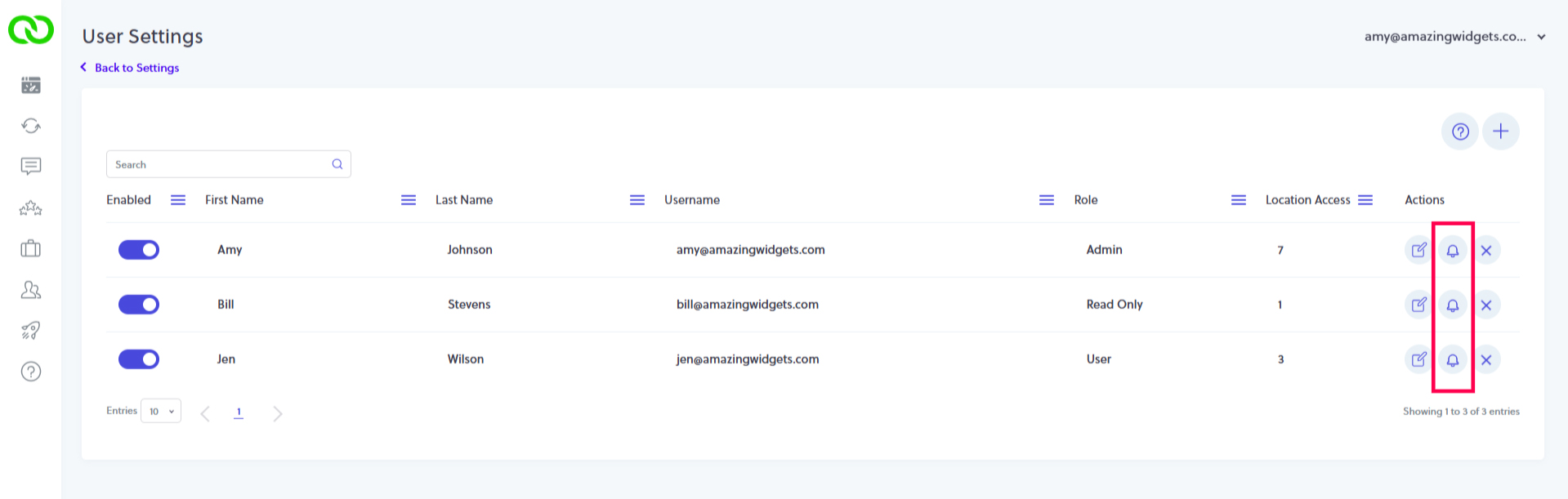
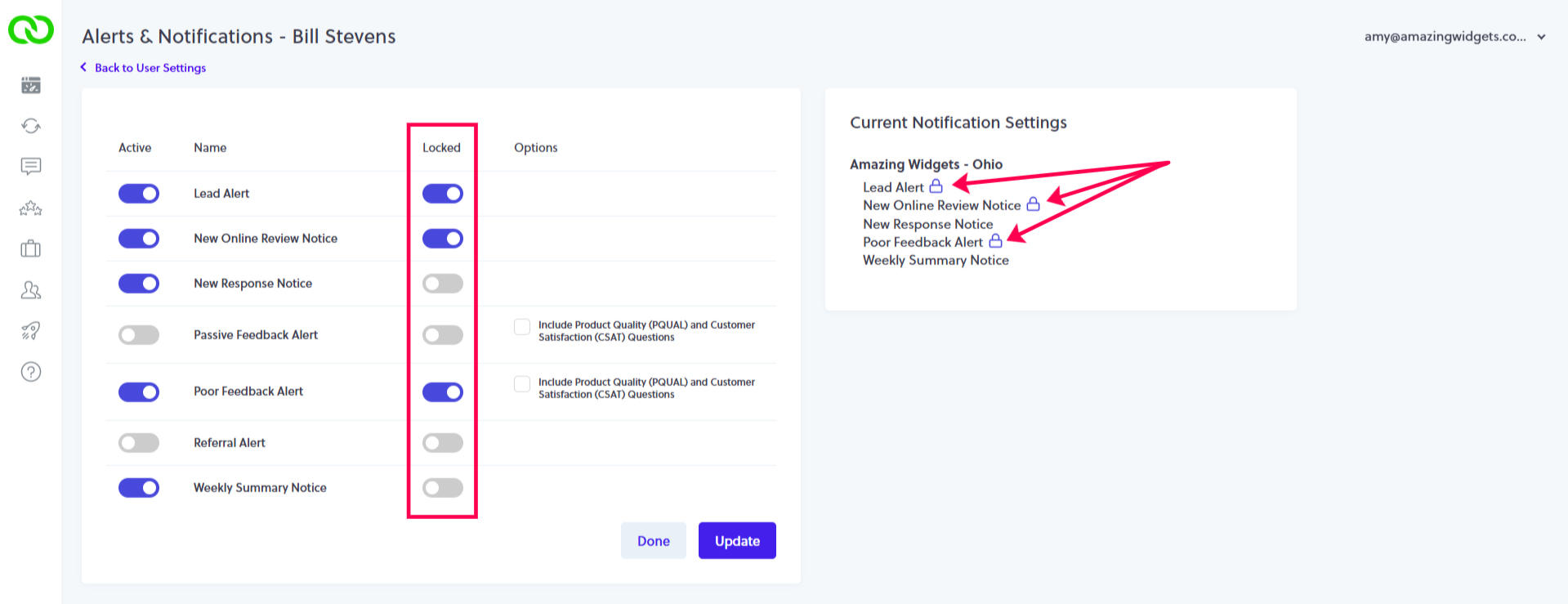
When managing the alerts of your users, if the user has access to more than one location, select and set each alerts for each location, or select and set alerts for all locations.