
New - AI Suggested Replies to Reviews

If you struggle with what to say when replying to your Google reviews, you'll love this new feature. This month, the Premier plan gets a new feature that allows you to generate AI-suggested replies to a review. It's a great time saver, and here's how it works.
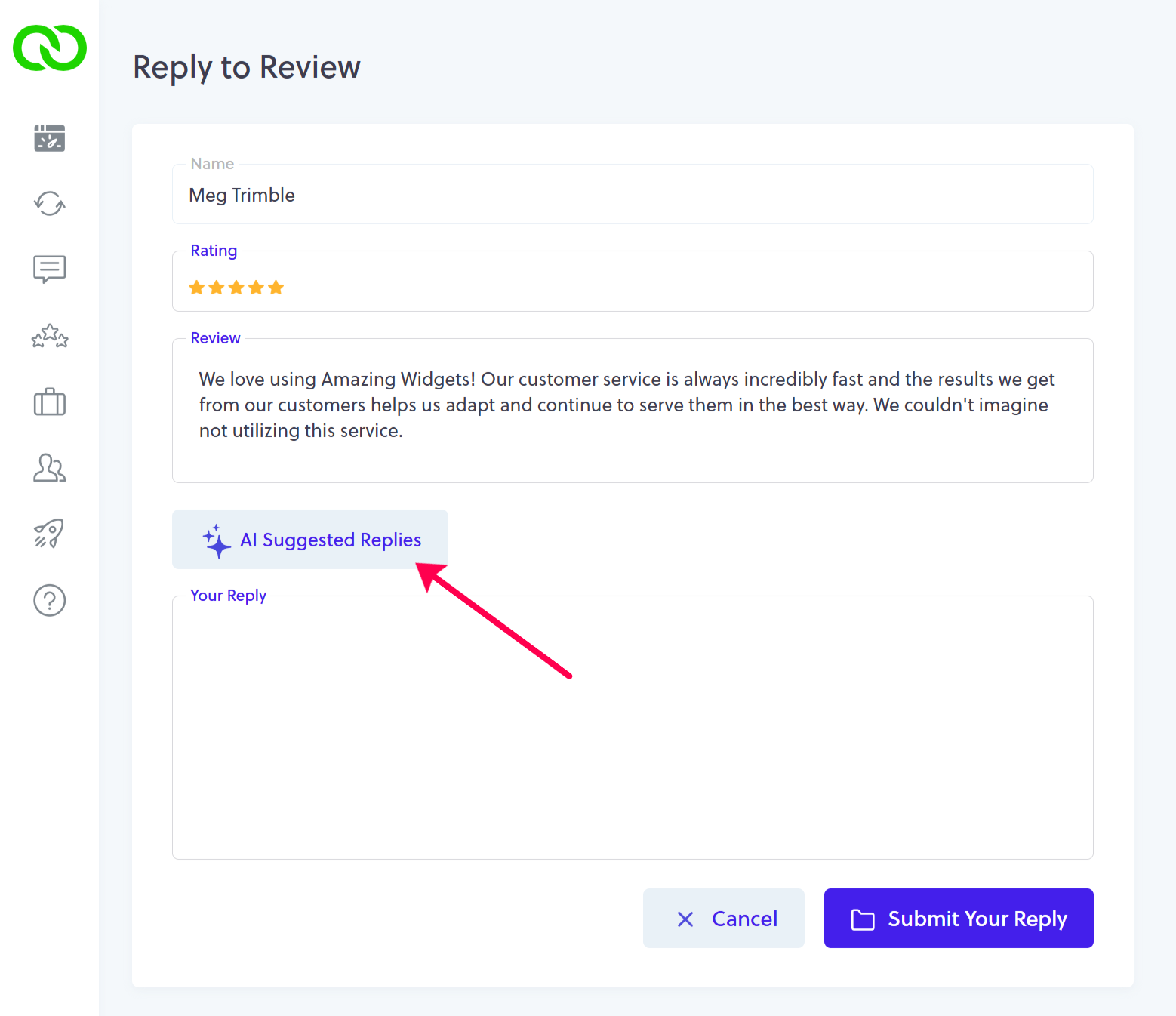
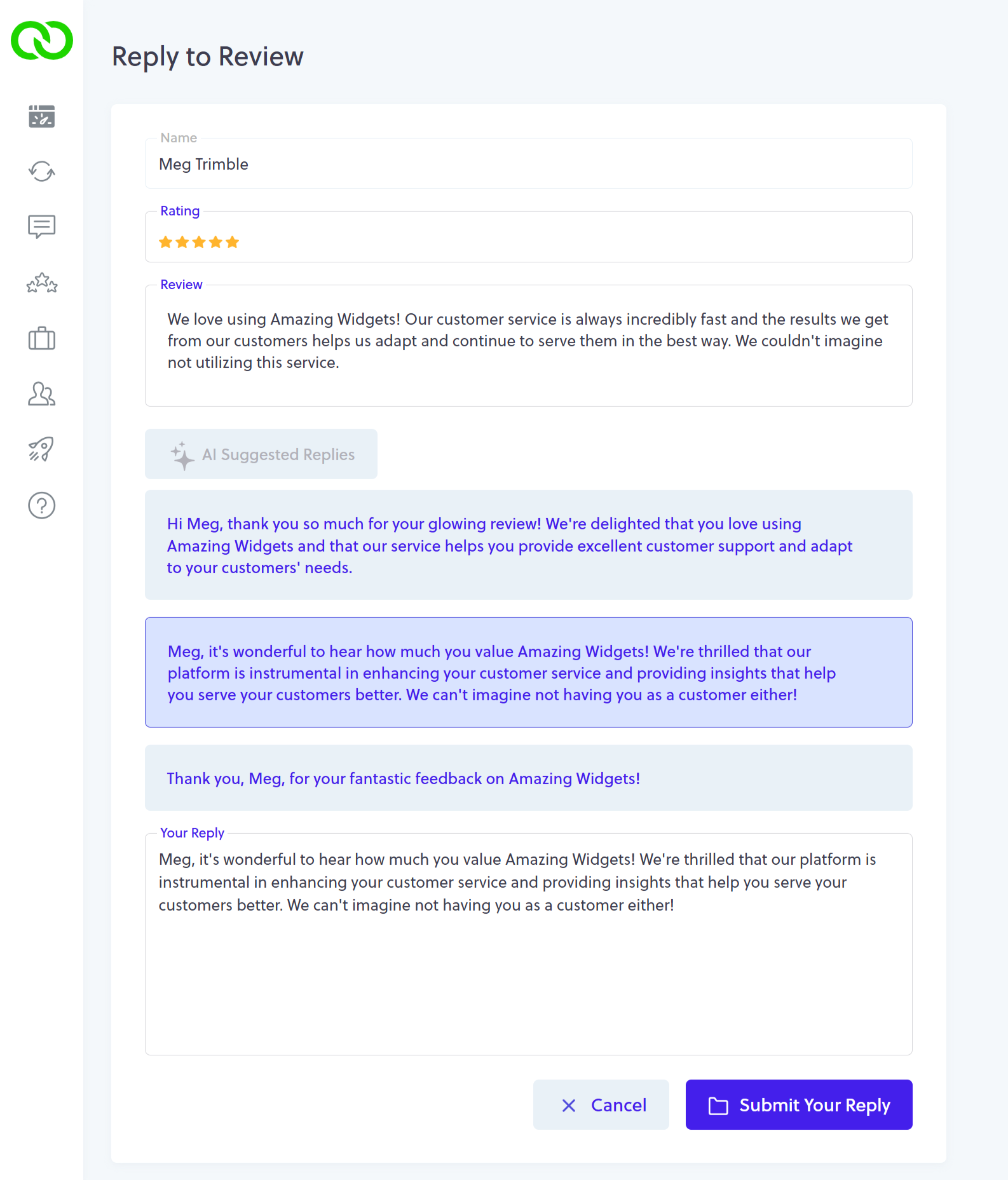
From your Review tab, click the Reply button next to the review in question, just as you always would. When you land on the reply screen, you'll notice a new button labeled "AI Suggested Replies". Just click it. LoyaltyLoop will generate 3 different suggested replies as a starting point for you.
Then, click the suggested reply you wish to use, and it will be placed into the Your Reply box so you can edit and submit (post) it.
There are a few things to keep in mind when using this new feature.
- You should always read the AI suggested reply to ensure it expresses your sentiments correctly, before posting it to Google;
- AI doesn't "know" anything, hence if a customer misspelled your company name or anything else, the suggested reply may reference the misspelling. Read the suggestions before posting on Google;
- Our AI does a great job identifying if the Google reviewer's username is a human name or a company name, so it can personalize replies. Again, AI doesn't "know" anything, and hence it may still try to personalize a reply using a non-human name;
- The AI Suggested Replies will work for reviews with, and without, comments. When no comment is provided by the reviewer, suggested replies usually reference the username and their number of stars;
- Our AI algorithm looks at your most recent past replies to avoid making suggestions that are too similar to prior replies. That being said, read all replies before posting them to Google.
We encourage you to check out this great new feature, and hope you find it both helpful and fun to use.