Did you know Admin Users can set alerts to be sent to email addresses in your survey launch data?
When you send your launch data into LoyaltyLoop, you can include any data you want. In addition to typical fields like first name, customer email, and other related data, you can include additional email addresses that can be used to keep staff informed of your feedback results.
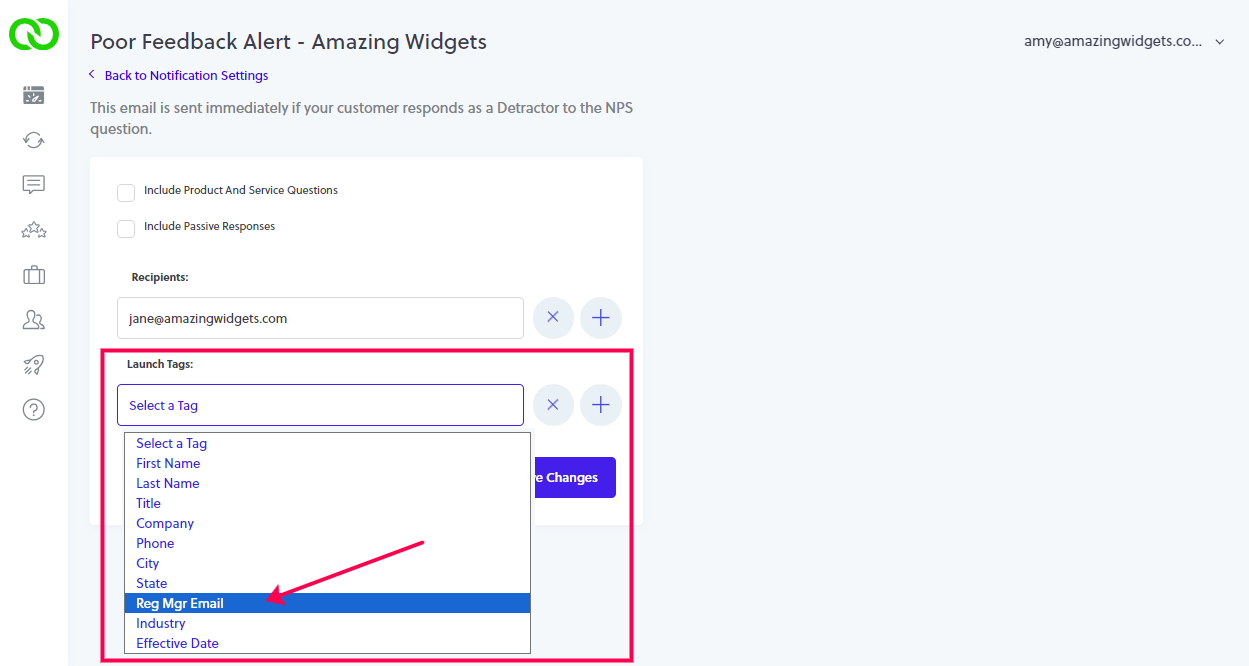
When you include email addresses of staff in your launch data, Admin Users can set alerts to be sent automatically to those email addresses associated with the customer's record (row) in your launch data. For example, if your launch data includes the email addresses of the regional manager (Reg Mgr Email) who are associated with each customer transaction, then alerts like the Poor Feedback Alert can be automatically sent to that regional manager, even if that person does not have a LoyaltyLoop user account.
In the table below you see a simple launch file containing various fields. There are 2 email fields, one for Customer Email and one for Reg Mgr Email. LoyaltyLoop understands which field is your customer email address, and will not present this as an option for this feature. You can see Amy is the Regional Manager associated with 2 customers, and Bill is associated with one customer. By setting this feature, Amy and Bill can receive alerts any time their customers give feedback.

To set this up, log in as an Admin User, go to Settings for the location in question, and click Alerts & Notifications. Admin Users have an additional section to configure both alerts and notifications for "other contacts" (i.e. non-users of your LoyaltyLoop account).
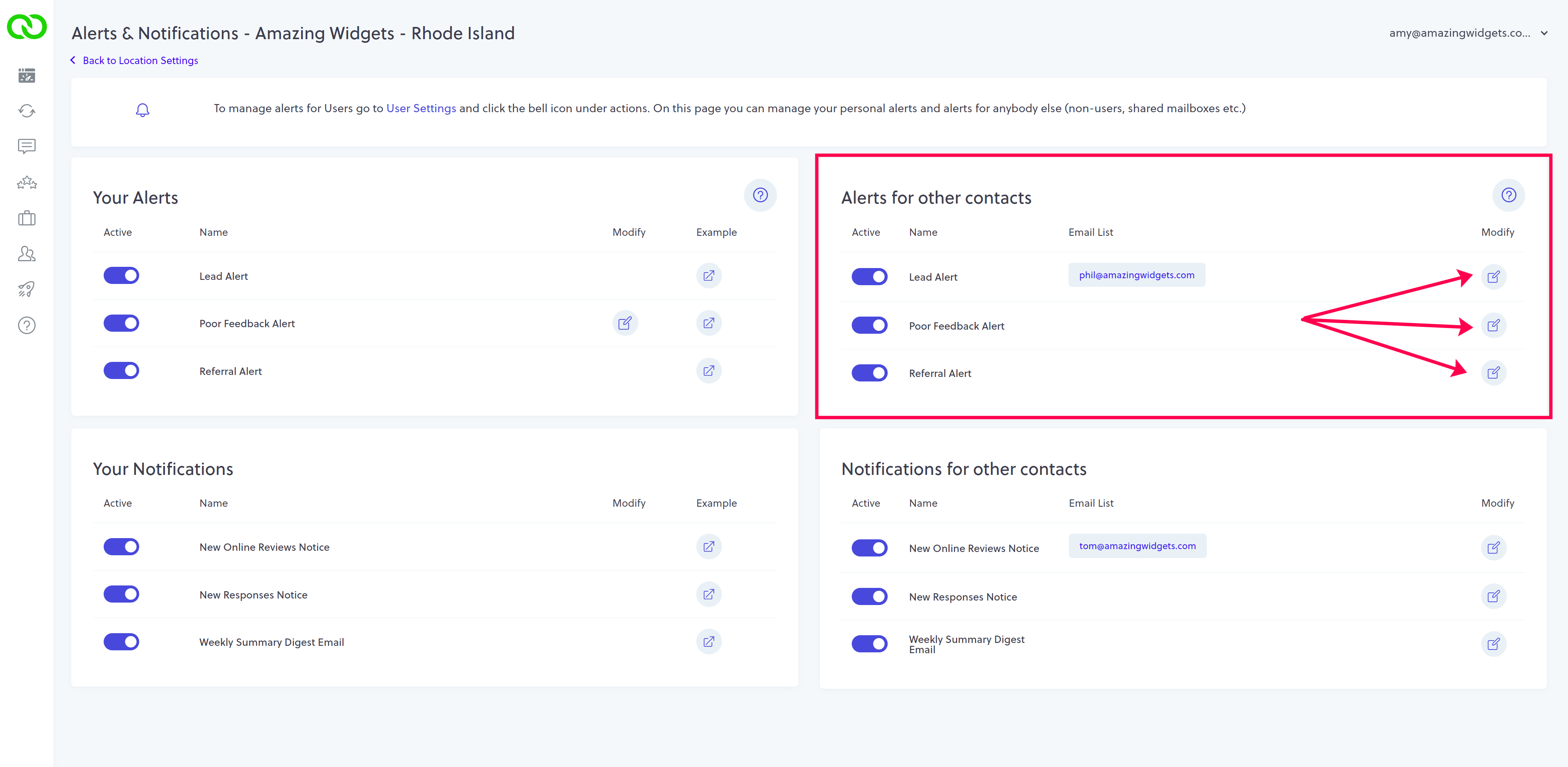
Modify the alert in question, and choose your launch data field (aka Launch Tag) that contains the email addresses for whom should receive the notice. In the above example, you'd choose Reg Mgr Email. If you wish to include others, and your launch data contains other emails, click the plus (+) button to add additional alert recipients. Now, anytime this alert is triggered, the associated email addresses for your staff will be alerted too.