NEW - Mobile and Plain Email Templates
This month the team has released a new feature available in all plans of LoyaltyLoop. Now, you can choose between two email template styles, when configuring the emails LoyaltyLoop sends to your customers. You can select the email template styles for these 4 emails: (1) Survey Invitation Email, (2) Survey Reminder Email, (3) Reviews – Follow-Up Email (Promoter plan), and (4) Campaign emails (Promoter plan).
When you land on any of the 4 emails mentioned above, you'll see a new choice in the email attributes called "Email Template". You have the option to select either the "mobile" or "plain" email template. Below, you can see the new option in the Survey Invite Email, and when composing a Campaign email.
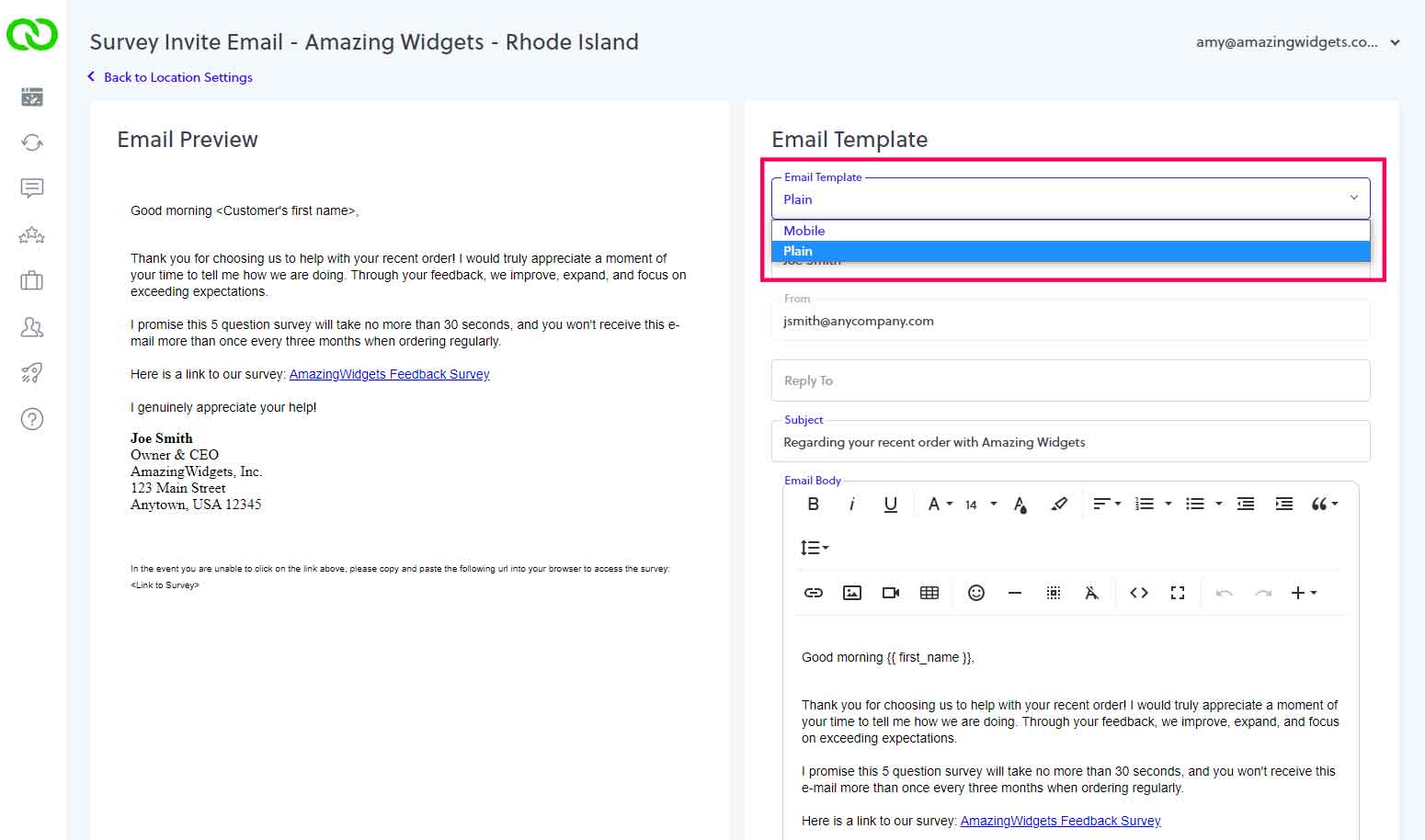
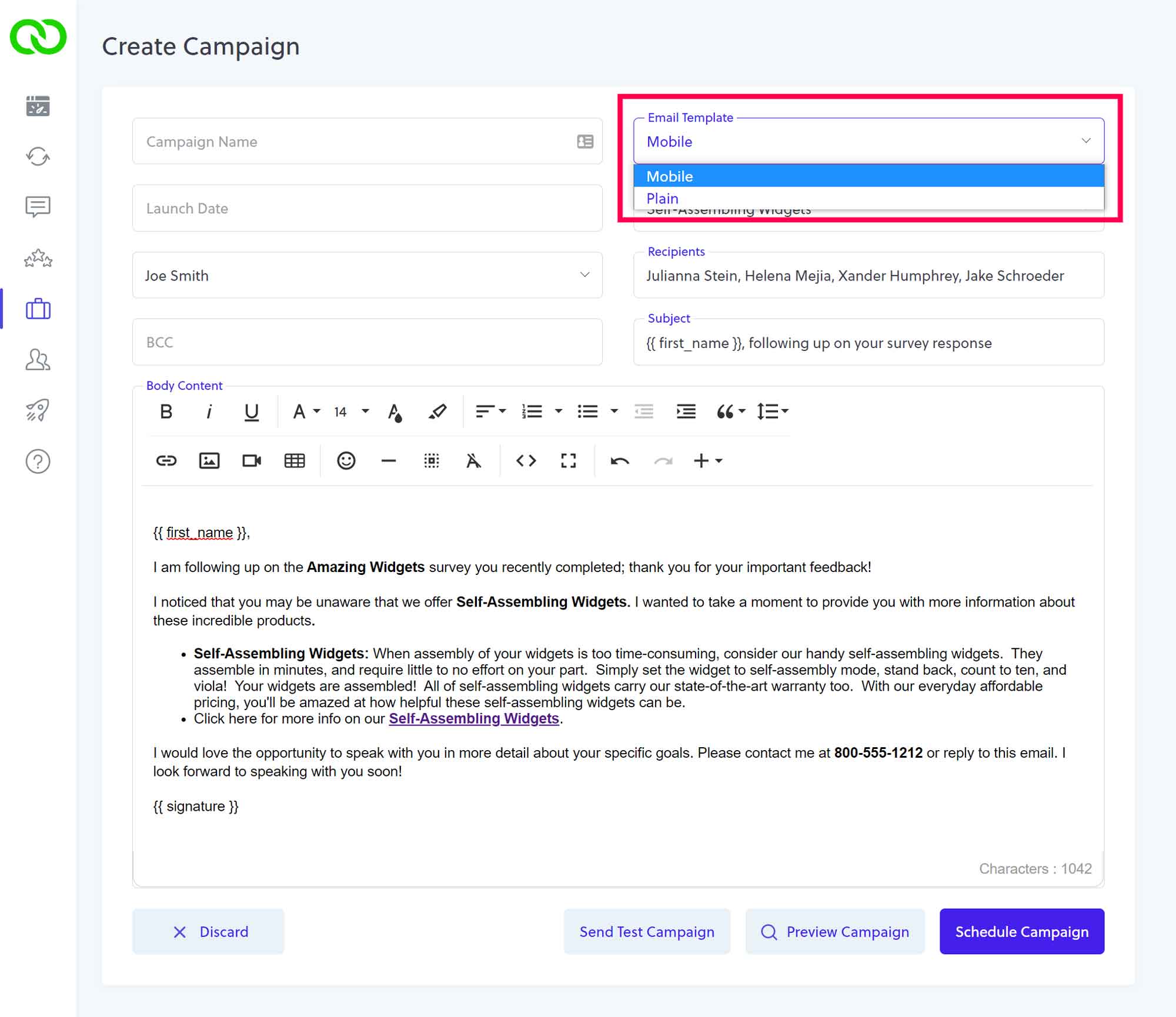
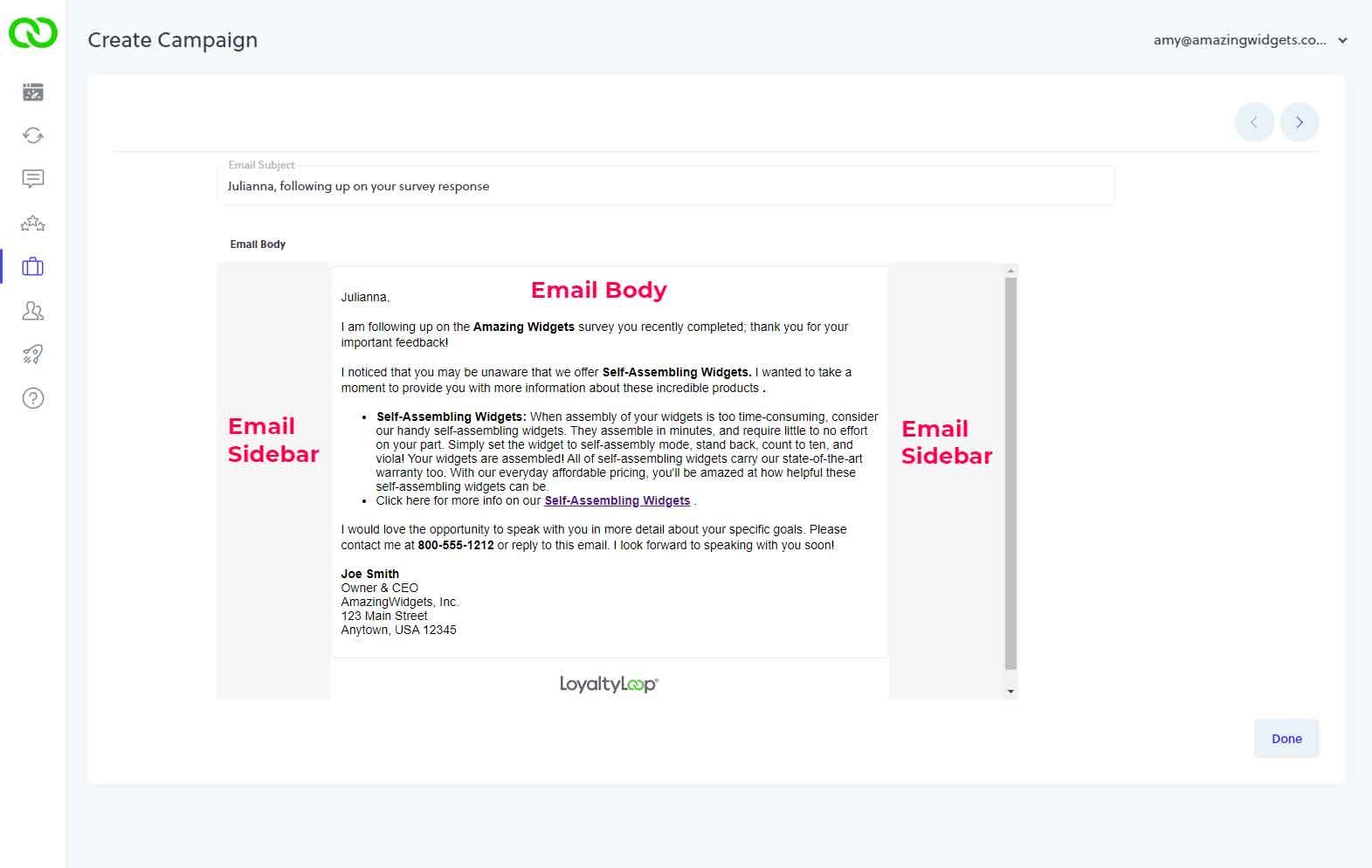
The "mobile" email template is, and had been the default setting. This template is designed to handle text, images and graphics, and still render on all devices. Since many email clients are finicky when it comes to rendering graphical HTML emails on various devices, particularly on narrow devices like phones, the "mobile" template limits the email body to a narrow width, with gray sidebars that expand in width depending on the the device. This is the typical approach used to send HTML emails, as it renders the body content on all devices.
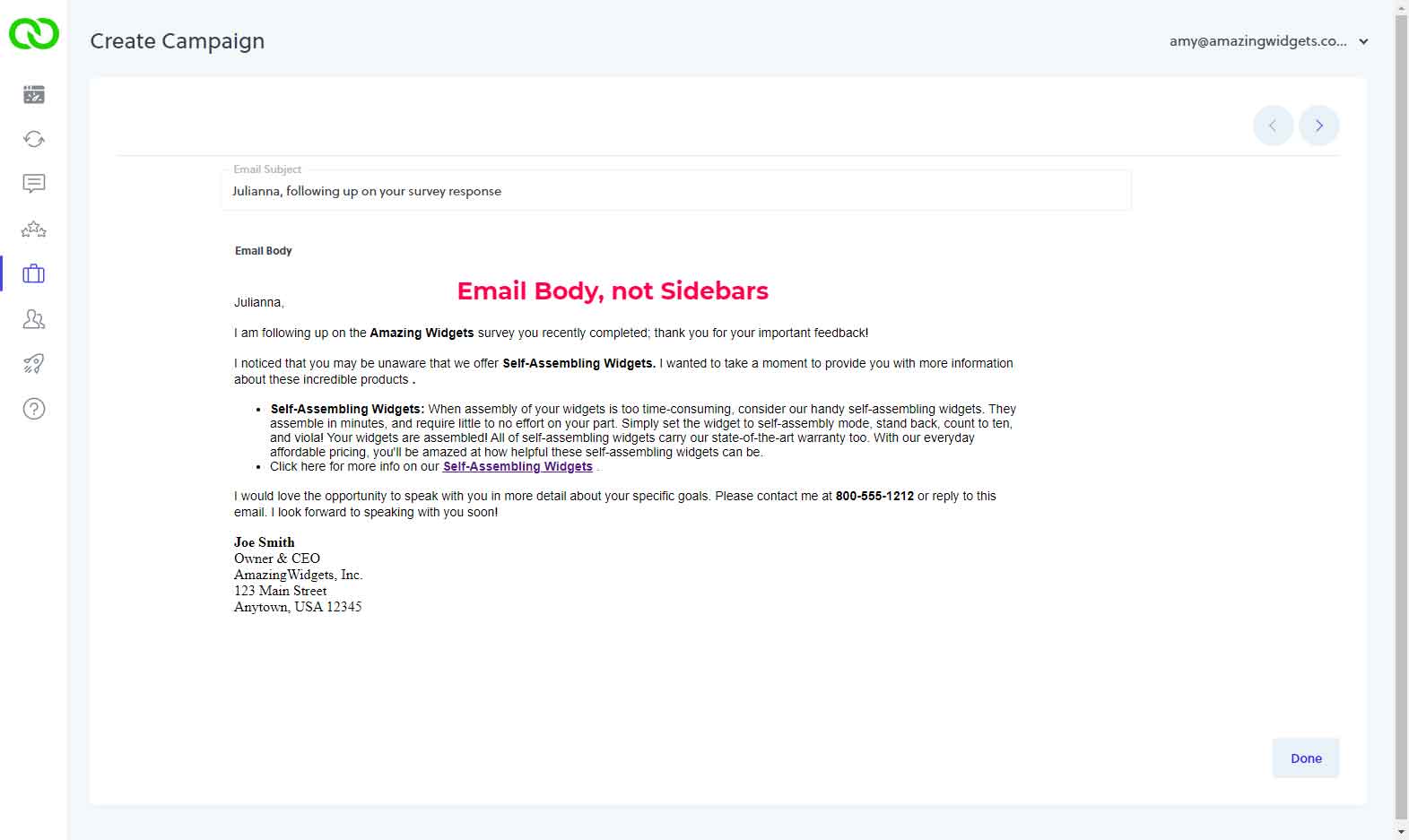
If you want your emails to look like a basic email like the ones you compose and send from your email client software, use the "plain" template. The "plain" template has no special formatting, and no gray sidebars. The body sits in a white background, just like most email software. It will still render beautifully on mobile devices, just like any other plain email you might send to a customer from your email software. But remember, if you want to include images and graphics in your LoyaltyLoop emails, use the "mobile" template.