New Remote Agent Failure Alert
Get notified if your local automation agent fails
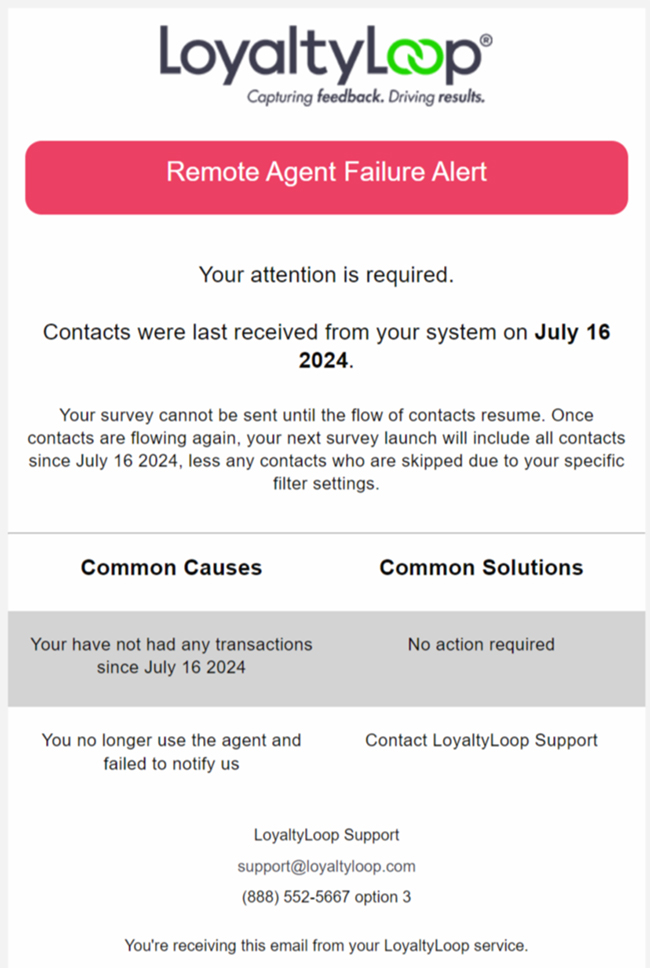
Automations and integrations are great ways to streamline your feedback and review process. When using our latest local agent for Printers Plan, you can now set LoyaltyLoop to inform you if your agent has stopped reporting data to LoyaltyLoop.
This is a great way to make sure your internal systems are running as expected. Use this alert to ensure your data is always flowing, and your feedback and review loop is running.
Once installed on your local computer running Printers Plan and an Internet connection, the Agent wakes up every day, connects to LoyaltyLoop over the Internet.
It then gets the most current Printers Plan report for LoyaltyLoop, then runs it locally to gather your recent transaction contacts, and then sends them securely to your LoyaltyLoop account.
If you have the LoyaltyLoop agent installed and running, you can configure the Remote Agent Failure Alert as follows:
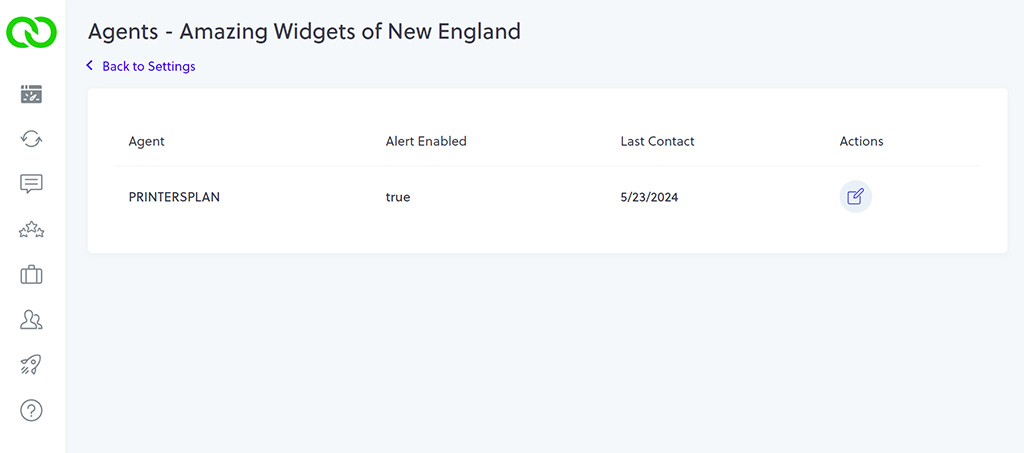
- Go to Settings, then Agents
- If the Agent is shown on this screen, then LoyaltyLoop has been receiving data from it. If you don't see the Agent, but you expect it to be installed on your system, please contact our support team.
- From this view, you can see if the Alert is enabled or not.
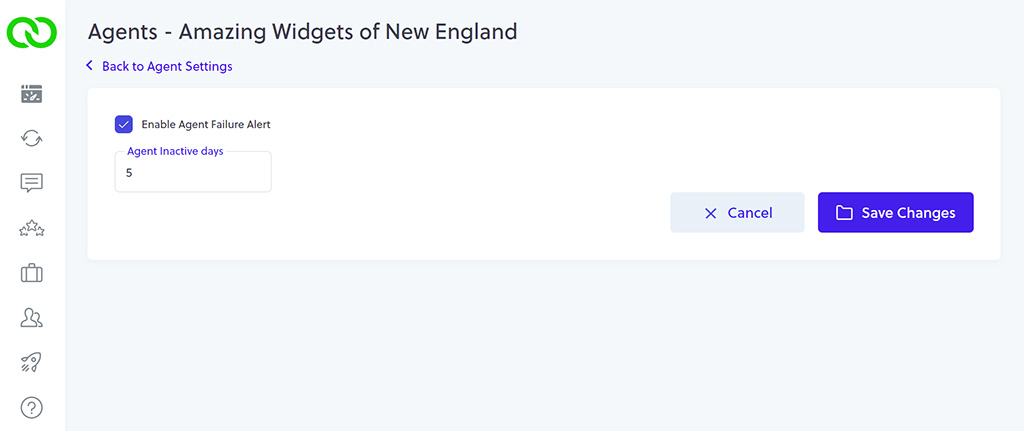
- To enable/disable the alert, or change its configuration, click the Edit icon.
- To disable the Alert, uncheck the box. To enable the Alert, check the box.
- The alert will fire based on the number days that the Agent has not sent data. You change this setting, making it more sensitive (lower number) or less sensitive (higher number).