
Setting Customers to Receive SMS vs Email
If you've added the new SMS add-on, here are some simple tips and FAQs regarding sending your LoyaltyLoop messages via SMS.
TIP 1
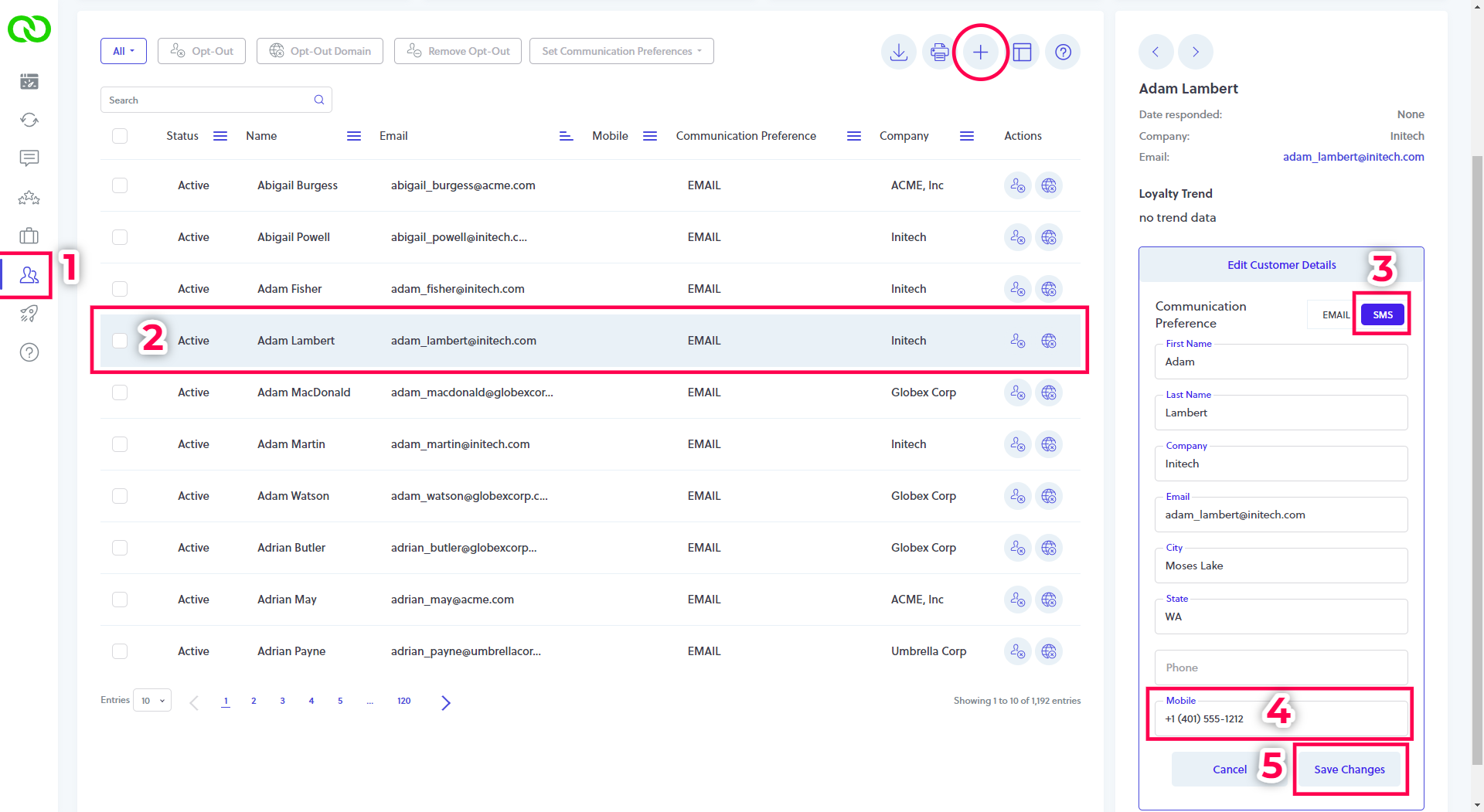
To set a single customer to get text messages (SMS) instead of an email:
- Go to your Customer tab. Search for the customer in question. If LoyaltyLoop has yet to receive that customer's details, click the plus (+) button and add the customer - you only need to enter their email address and set the status to "active".
- Click on the row of the customer in question to select them.
- In the right panel, click "Edit Customer Details", then set the switch to SMS
- Enter or confirm the contact's valid 10-digit mobile number
- Click Save Changes
TIP 2
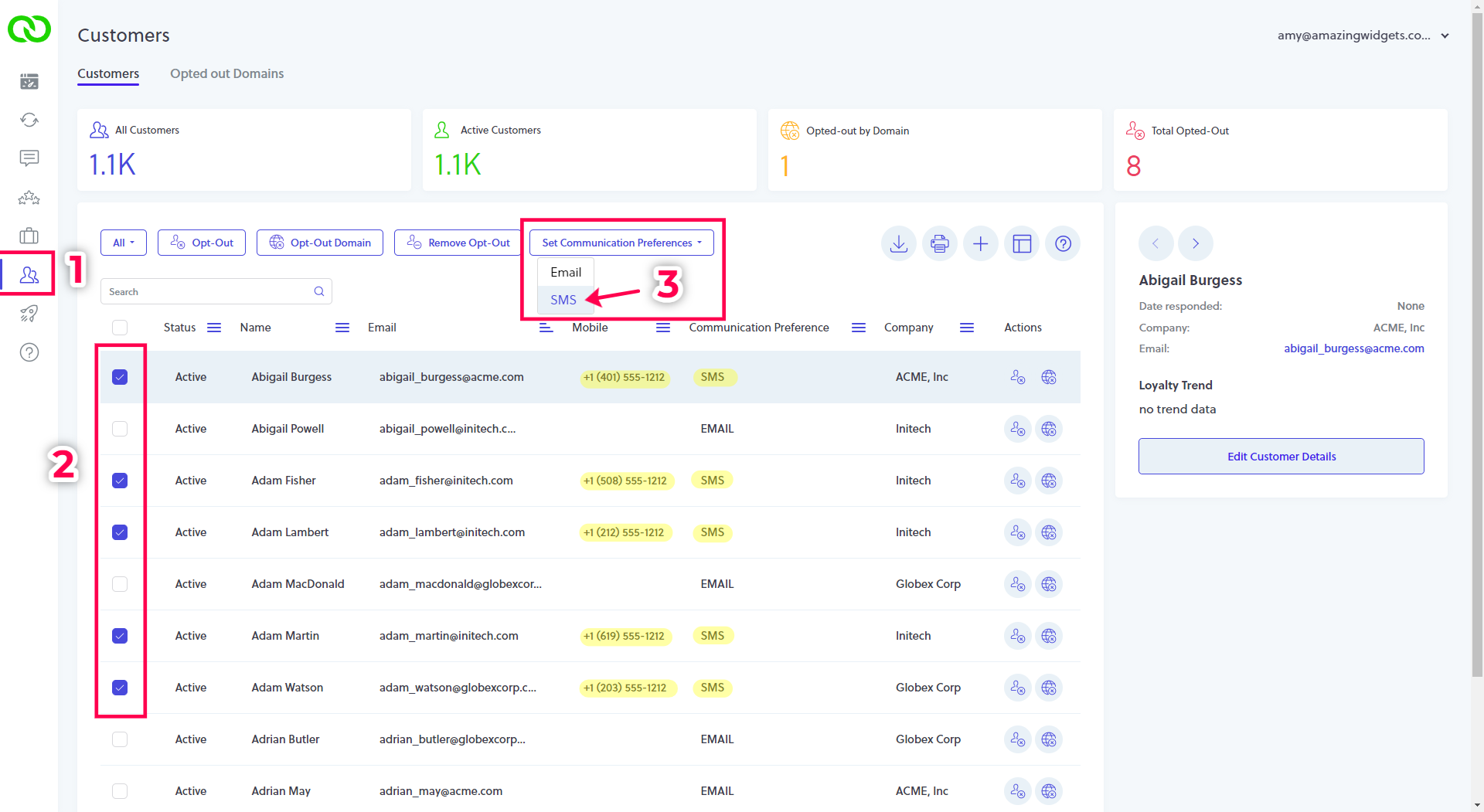
To set multiple customers to get text messages (SMS) instead of email:
- Go to your Customer tab
- Find and select the checkbox next to customers you wish to get SMS (make certain they have a valid 10-digit mobile number)
- Click the button "Set Communication Preference" and choose SMS (the screen will update to show their preference is now SMS)
SMS FAQs
What is LoyaltyLoop's default send preference?
By default, LoyaltyLoop sets all contacts to email as the Communication Preference. Hence, you need to override this default setting to have LoyaltyLoop send surveys via SMS.
How does SMS behave in LoyaltyLoop?
When your survey is processed to be sent, LoyaltyLoop evaluates each contact to-be surveyed (based on the email address of that contact), to determine the Communication Preference. LoyaltyLoop will then send contacts either an email or text message based on their specific setting.
What happens if I set a contact to SMS, but I forgot to enter their mobile number?
If a mobile number does not exist for a contact that has SMS as their preference, LoyaltyLoop will fall back to sending the contact the survey via email.
Can I change the default send preference of my LoyaltyLoop?
Yes. If you want all of your contacts to default to SMS as they enter your LoyaltyLoop, please contact our Support Team, and we'll make that configuration change. Once set by us, all surveys will be sent via SMS, unless there is no mobile number on the customer record, in which case they will be emailed instead.