Track Opportunities in LoyaltyLoop Enterprise
NEW: LoyaltyLoop Enterprise Lead Summary Chart
Here is a great new feature for brands and corporations using LoyaltyLoop Enterprise to monitor customer experience results across all of your locations.
When locations are subscribed to LoyaltyLoop Promoter plan, each location can promote other services they offer via their pulse survey. This allows their customers to see all the products and services offered (i.e. cross-selling), and express interest in them (i.e. generate leads). This simple lead generation service is powerful and elegant.
Depending on your specific LoyaltyLoop configuration, the list of other services may be a standardized list for your entire company or brand. Or, it may be a customized list for each location. Regardless, how do you see all the services in which all customers are expressing interest? Wouldn't it be helpful to see across your entire brand or enterprise and know which items have the greatest level of interest from your very best customers? That is exactly what is provided on the Enterprise Lead Summary Chart found in your Opportunities section.
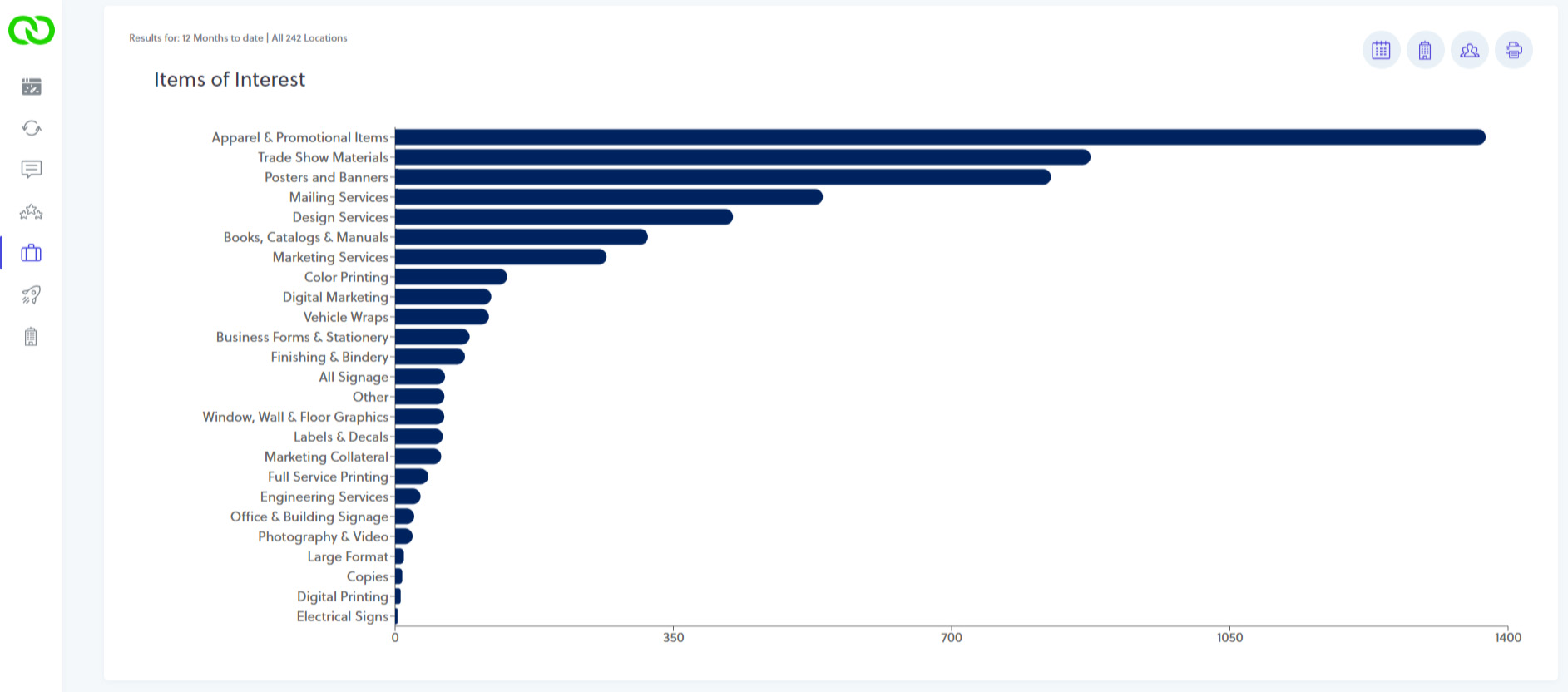
The Enterprise Lead Summary Chart uses a rules engine that you configure to organize and group items across all of your location's surveys. This accommodates the LoyaltyLoop configuration where each location can tailor their own "other services" list.
From your Enterprise Settings, you manage your Lead Classification by creating a group that should contain the various terms used on the surveys for a given item. For example, "Apparel and Promotional Items".
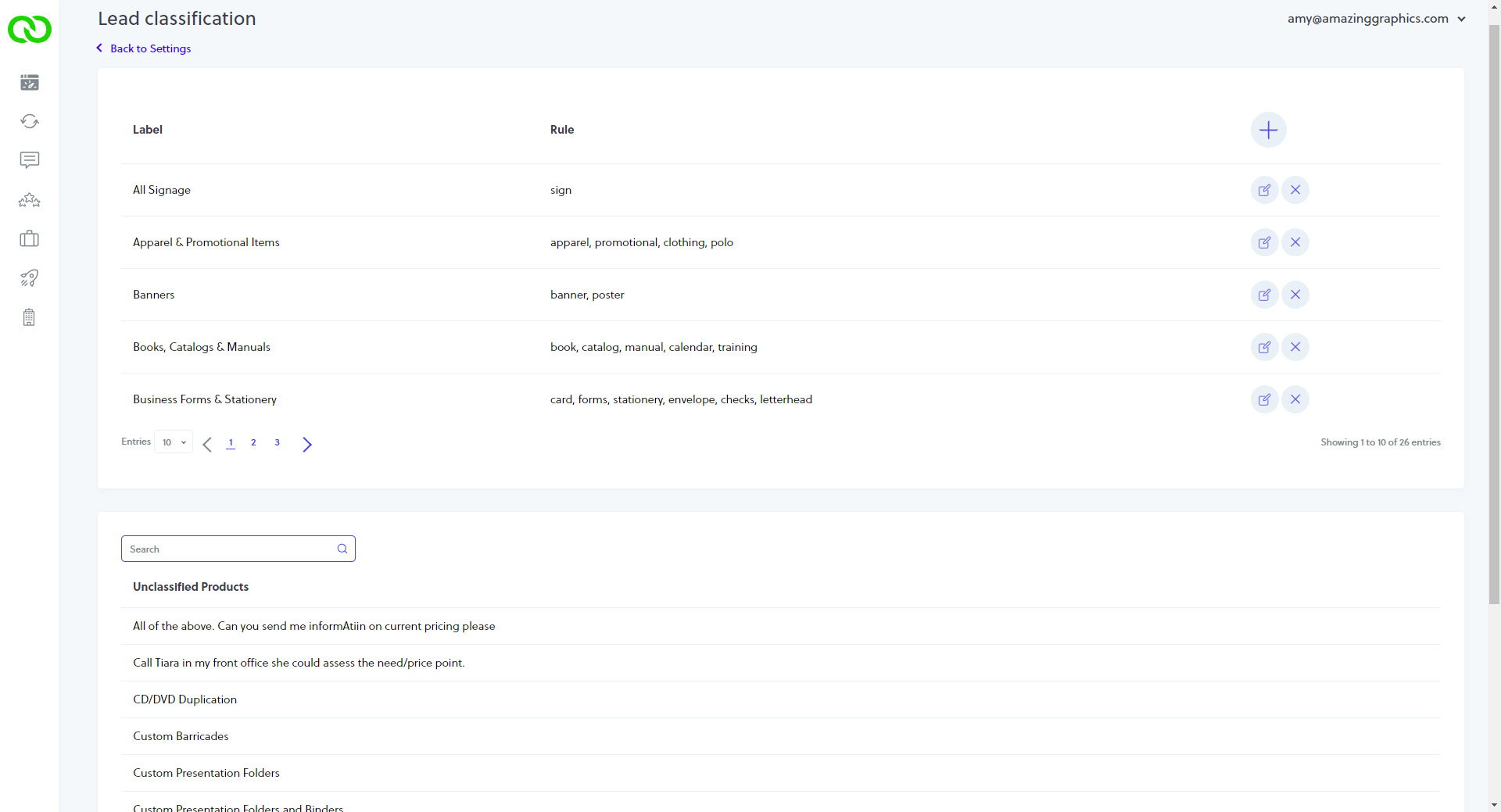
By search the unclassified terms, you identify all the ways locations worded the items related to the category (e.g. Apparel & Promotional Items). You thn add add the keyword terms to the rules, and LoyaltyLoop will associate all those terms with this category.
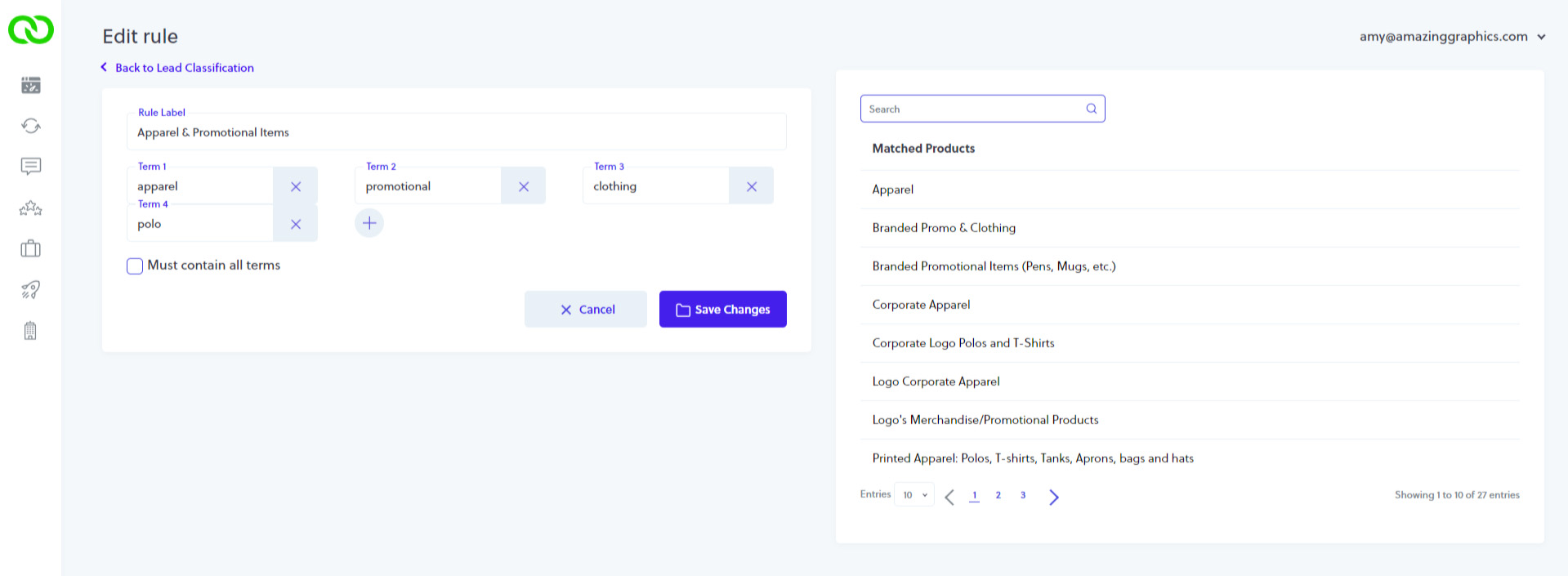
The groups you create forms the basis of the Enterprise Lead Summary Chart. Out of the gate, our team will create the initial groupings for you. But as you or your locations make changes to the "other services" presented, you simply peruse the unclassified services to add new terms to existing groups or create new groups. Every hour the system rolls-up the summary data across your entire enterprise or brand, updating the Enterprise Lead Summary Chart.
TIP: Tracking LoyaltyLoop Lead Follow-Up Activity
When your locations manage their Leads in LoyaltyLoop, their user interface mimics an email system, organizing their leads in an Inbox. When they finish working the Lead, they simply need to flag it as "Closed Out". This will move the Lead from their Inbox to the Closed box.
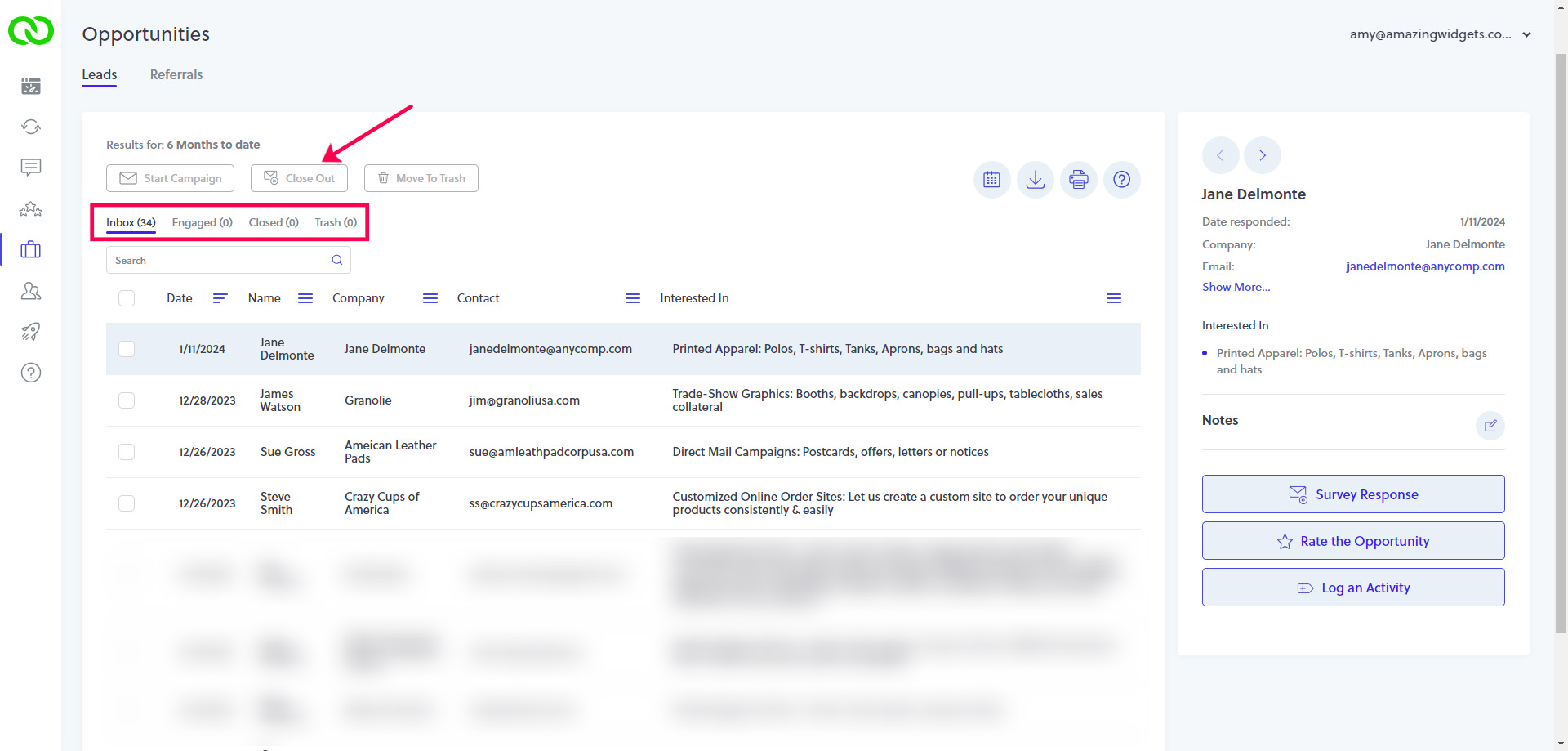
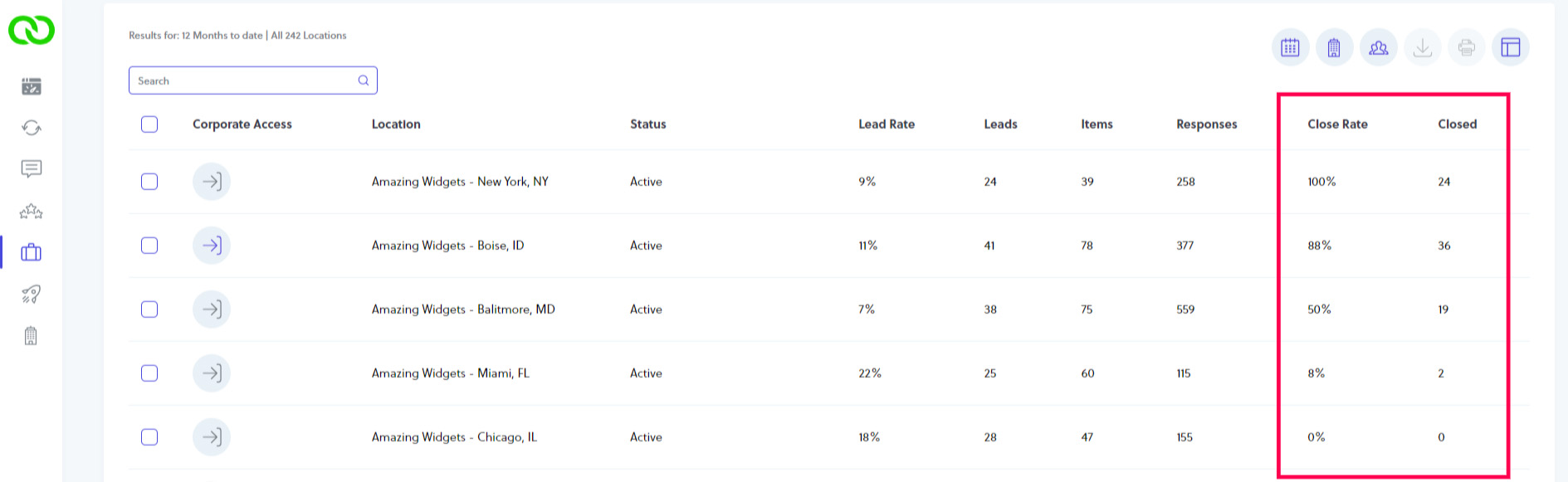
To ensure your locations are following up on Leads and closing more business, you can easily monitor their activity from the Opportunities section of your LoyaltyLoop Enterprise. Scroll down to the table or results, and notice the columns labeled "Close Rate" and "Closed". These sortable columns show you the percent and count of Leads that have been Closed.