
Dormants Restarted: Track Sales Recovery with LoyaltyLoop Premier

If you have read about our new LoyaltyLoop Premier plan, you might be excited about how we can help you automatically restart sales from dormant accounts. To learn more about how the automation works, please check out our previous post.
This month, we are continuing to evolve this amazing feature with advanced sales recovery analysis and reporting. These new tools show you exactly which customers were previously dormant but have reactivated their purchasing after being engaged by your dormant account survey.
Visualizing Success on the Dashboard
Premier plan customers will now notice a new widget box taking center stage on your dashboard: Dormants Restarted.
This widget displays the total number of customers who met your specific dormancy criteria, were engaged by LoyaltyLoop, and subsequently completed a purchase. It gives you a high-level view of your campaign success at a glance.
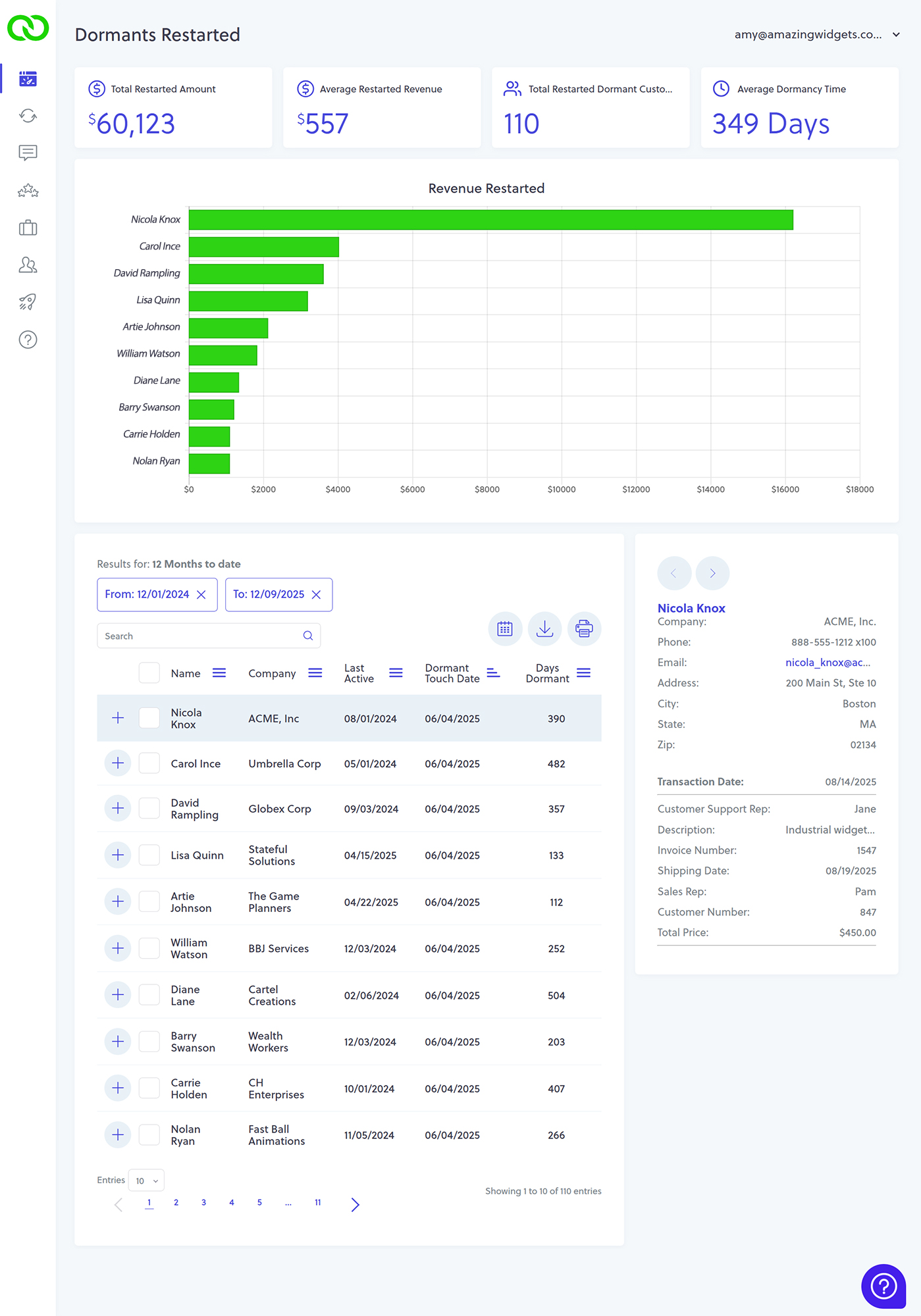
By clicking on this restart count, you will land on a detailed analytics page that breaks down the data. It highlights restarted revenue, contacts associated with restarted orders, and specific transaction histories. Let’s take a look at each section of this page.
Key Metrics: The Widget Boxes
At the top of the details page, you will find four widget boxes displaying top-level customer retention metrics:
- Total dollar amount of restarts
- Average restart value
- Total number of customers restarted
- Average time a customer was dormant

Charting Revenue Recovery
The next section features a chart displaying the top 10 contacts sorted by restarted revenue. At a glance, you can identify which high-value customers have returned to purchase following a dormant period. You can hover over the bars in the chart to see specific revenue totals.
Deep Dive: The Data Table
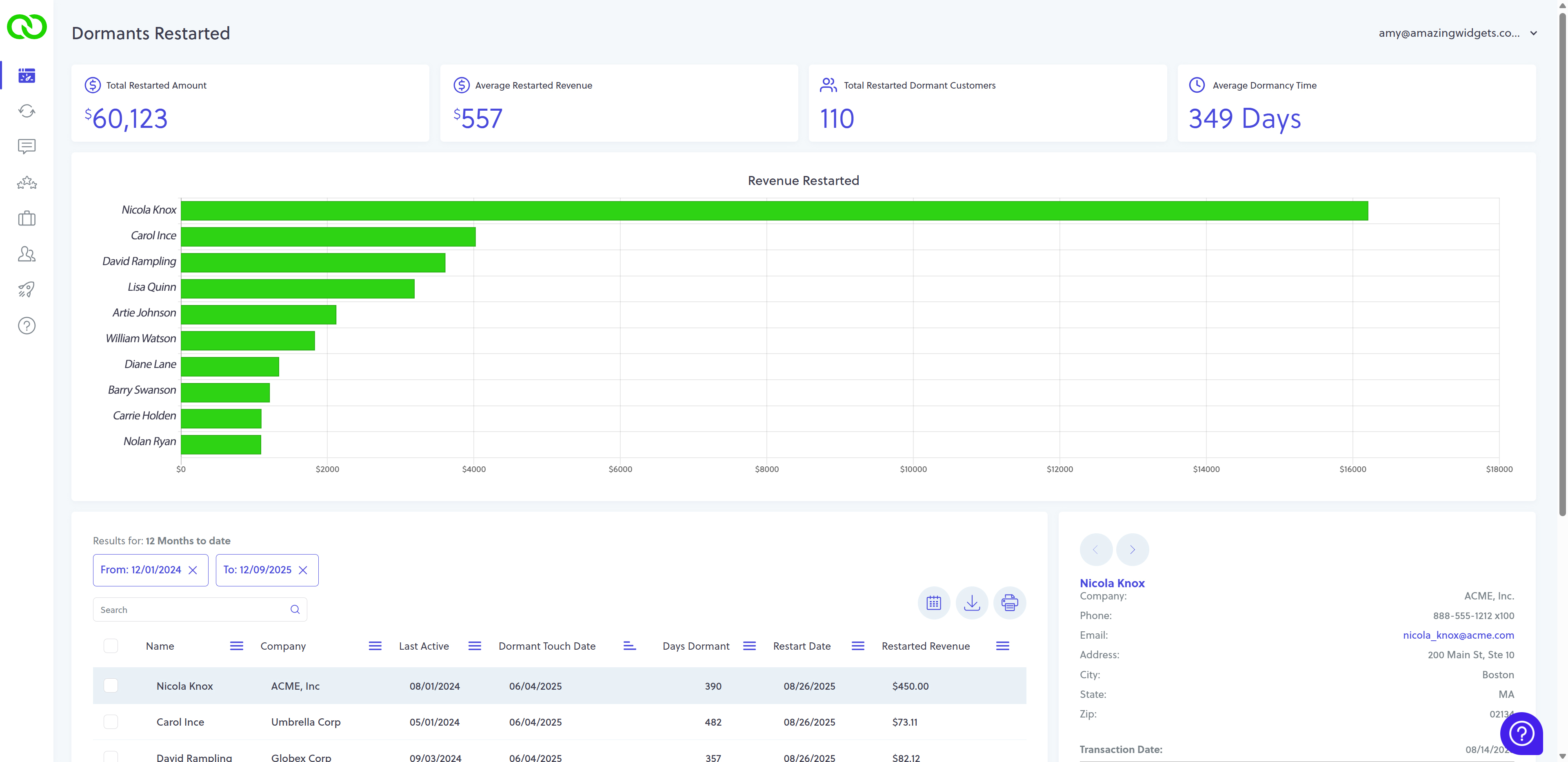
Below the chart, you will find a comprehensive table containing all customer details relative to your win-back efforts. This table includes:
- Last Active: When they last purchased before going dormant.
- Dormant Touch Date: When LoyaltyLoop engaged them.
- Days Dormant: The gap between activity.
- Restart Date: When they returned.
- Restarted Revenue: The total value of post-dormant transactions.
Like all LoyaltyLoop tables, this data is sortable, exportable, and printable, making it easy to share wins with your team.
Transaction Details
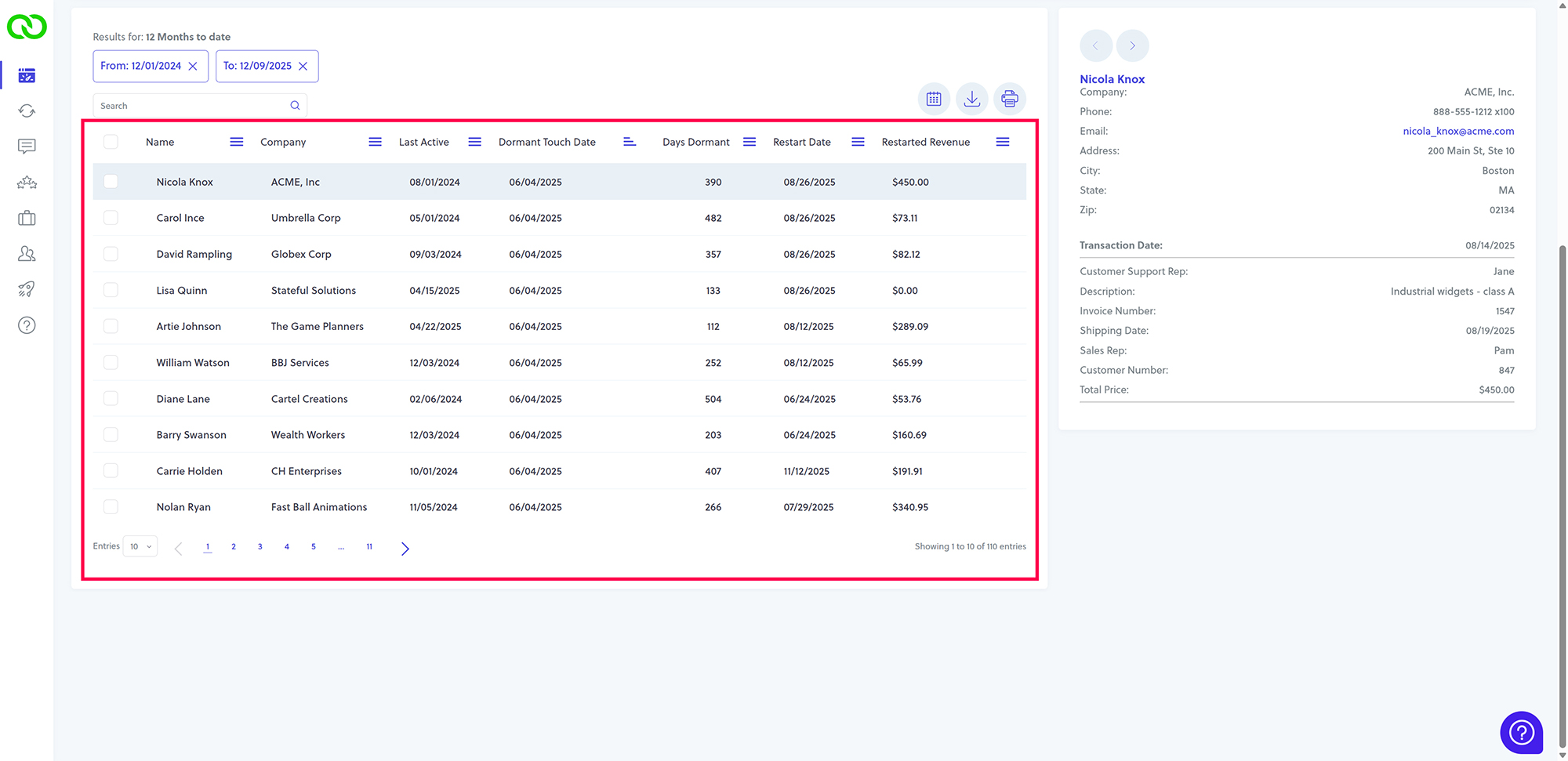
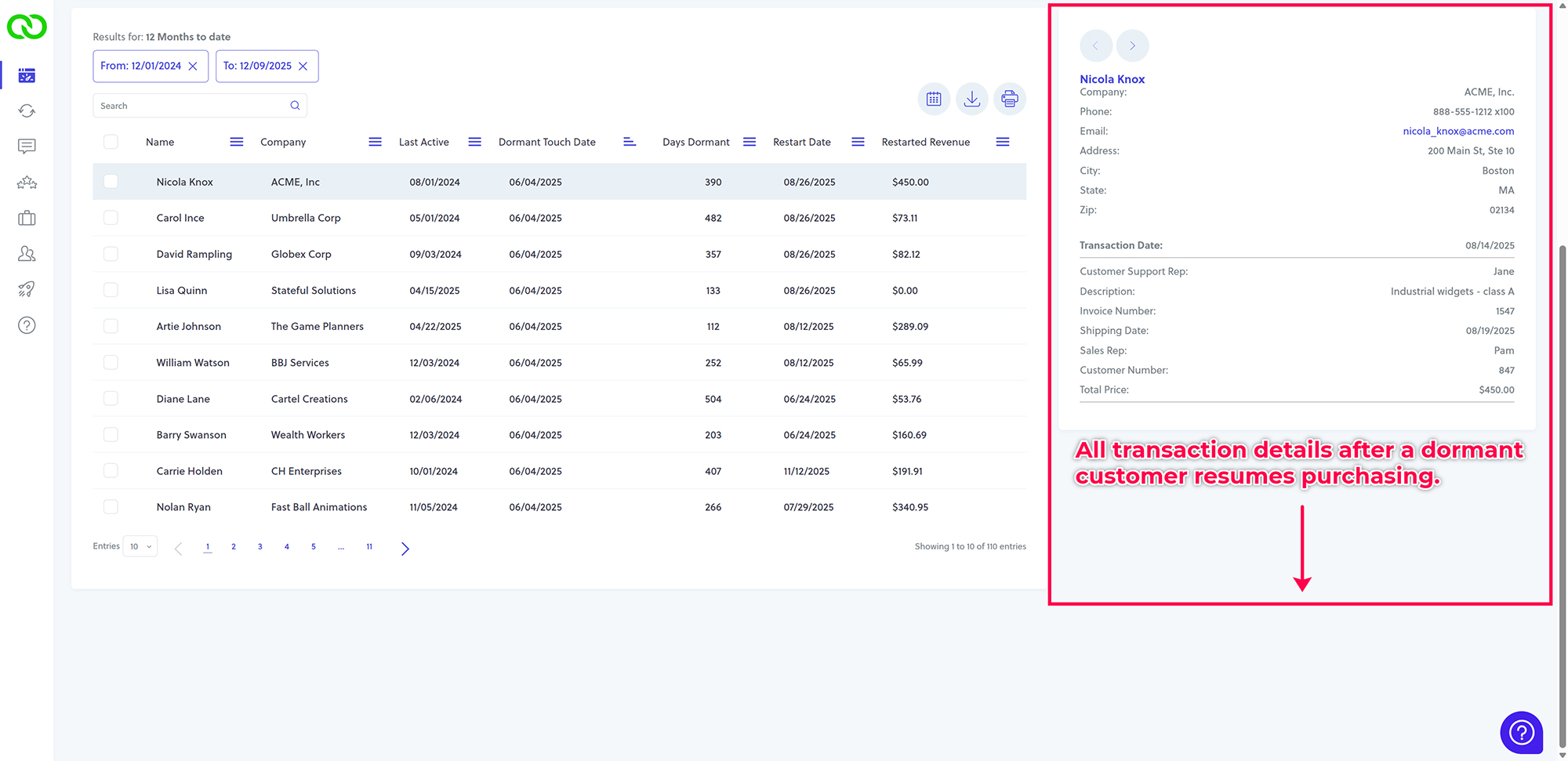
To the right of the table, you will find the individual customer panel. By clicking any row in the main table, that customer’s restarted transaction list appears in this side panel. This allows you to view all transaction details—based on the data you send to LoyaltyLoop—to fully understand the context of these reactivated dormant customers.
Automate Your Win-Back Strategy
Keep in mind that LoyaltyLoop engages customers based on the specific days you define as the dormancy period. While we cannot know every offline circumstance—whether a customer is purely dormant or you are actively working a deal—the data is clear: these customers were dormant, they were engaged by LoyaltyLoop, and they made a purchase.
When it comes to reigniting dormant accounts, you should coordinate every tool at your disposal. The LoyaltyLoop Premier plan makes this process easy and automatic, providing a clear method to boost sales with little to no effort on your part.