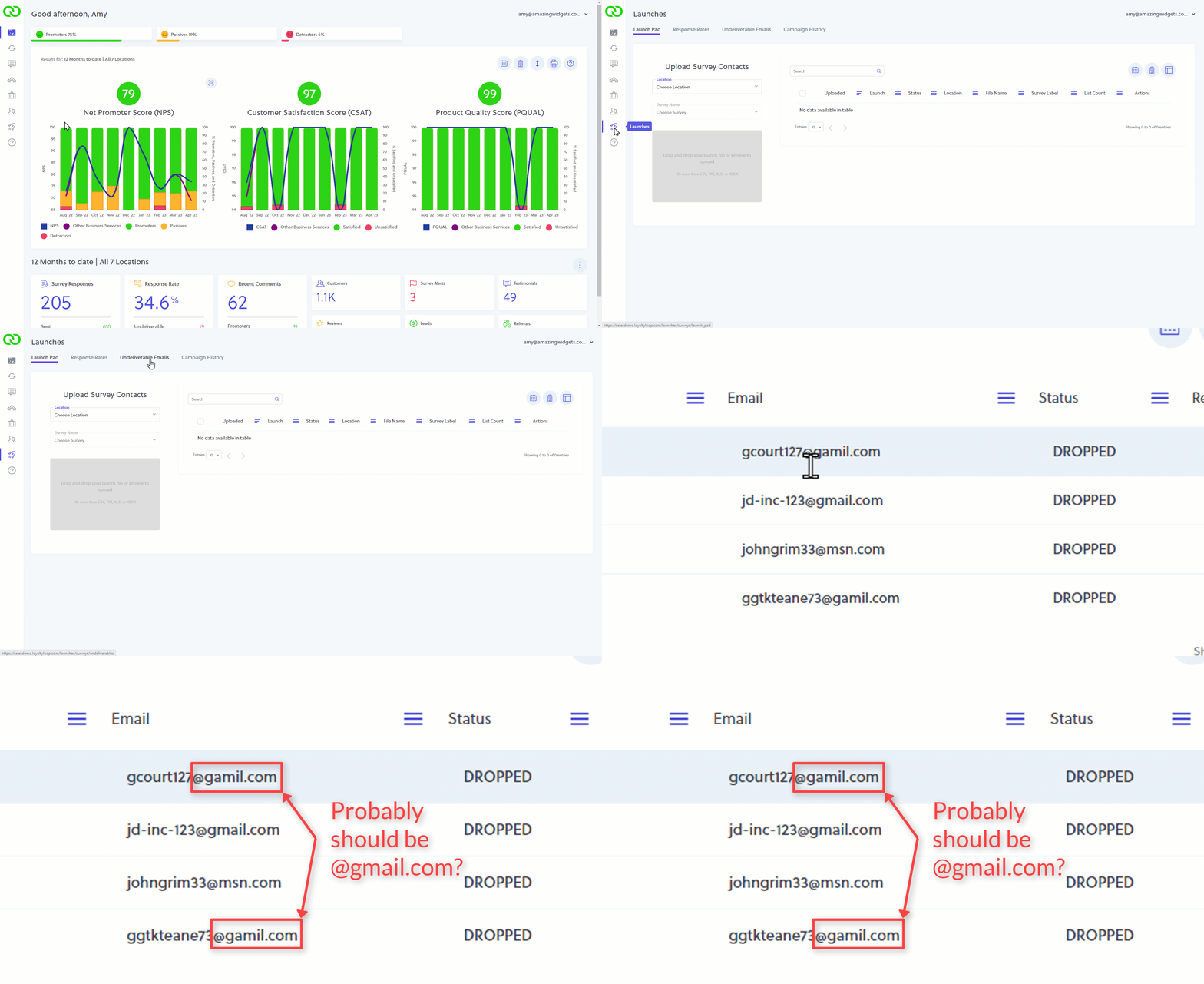
Did you know you can see which email addresses failed to be sent?
Incorrect email addresses, full mailboxes, offline mail servers, and more can all cause emails to go undelivered. You can find the failed email addresses of your customers by visiting your Undeliverable Email report in LoyaltyLoop.
Periodically review your Undelivered Emails list, and look for obvious errors. Here are a few common issues to look for:
- Old/wrong email: Is the email address provided to LoyaltyLoop in fact an active email address?
- Misspelled email: Did you misspell part of the customer's name or domain?
- Malformed email: Is the email address malformed in some way, either missing characters or has extra ones that don't belong?
If you find a mistake in your email address, the solution is to fix it in your source system. Then, when your data is sent to LoyaltyLoop the next time, that email address will be correct.
Remember, LoyaltyLoop is only as good as the data you feed it. Uploading bad email addresses is analogous to mailing a letter to a physical address that doesn't exist. The mail goes back to the post office, and is sometimes 'returned to sender'. Double-check your customer email addresses before uploading them to LoyaltyLoop to minimize undelivered emails.