“You can't correct your problems without getting the bad with the good, and since our customers are given an outlet to voice concerns through LoyaltyLoop, we are now running at a much higher satisfaction rating than ever before. Thank you!”

Datto Autotask
Outbound Integration Add-In
LOYALTYLOOP INTEGRATION
View LoyaltyLoop Results in Autotask!
Attention Managed Service Providers (MSP)! Put the power of customer feedback at your fingertips inside Autotask.
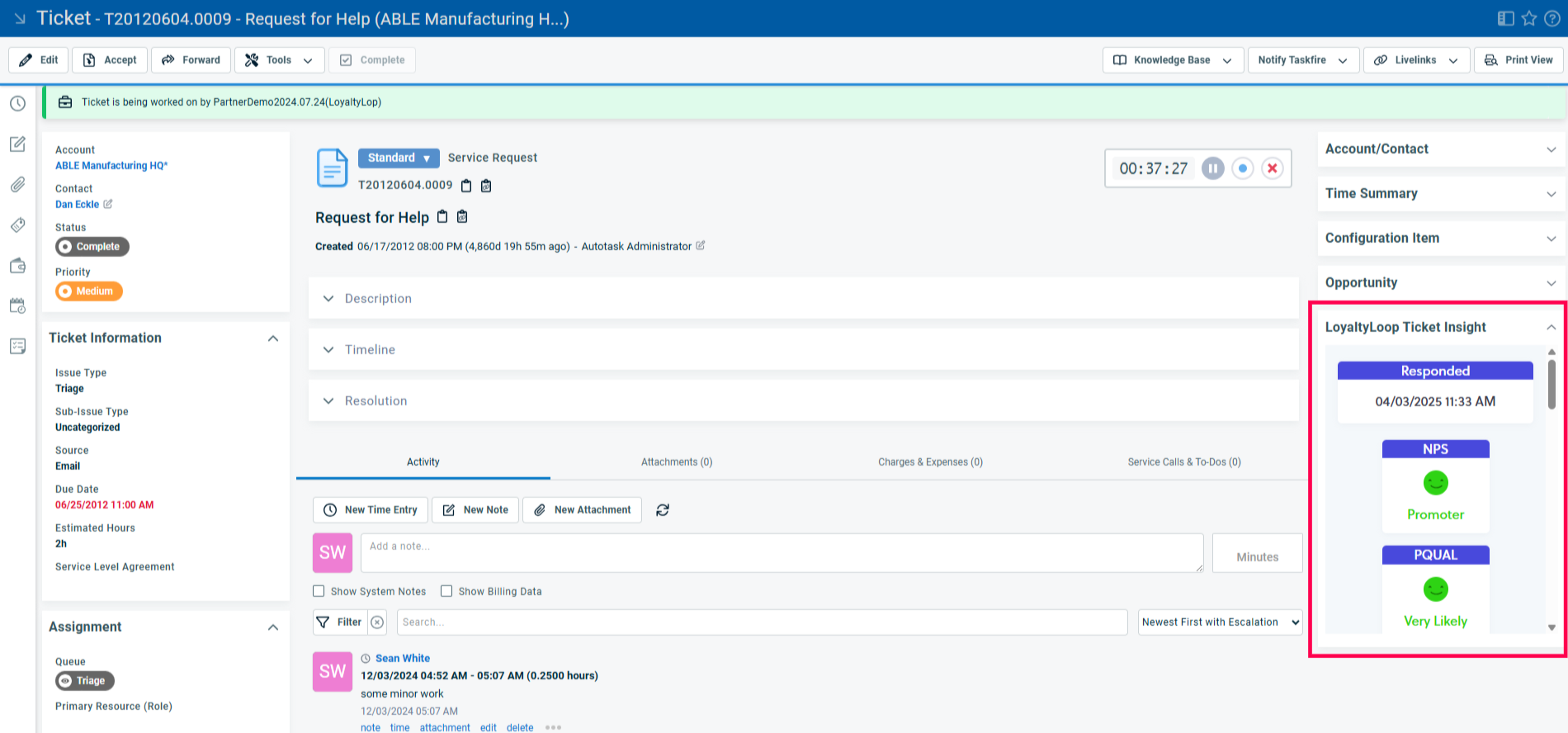
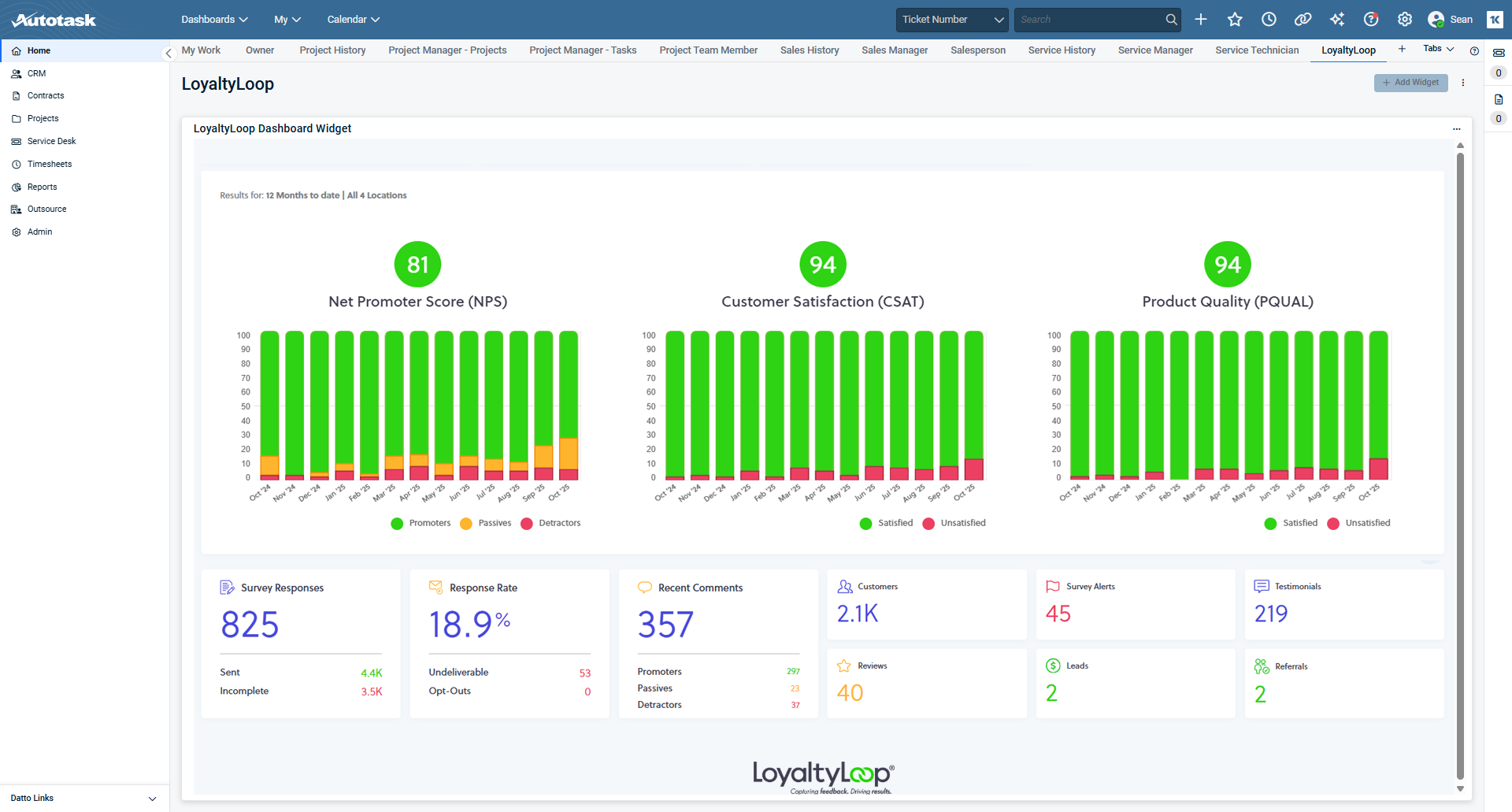
Embed your LoyaltyLoop dashboard as an Autotask tab, and use Autotask's Ticket Insights to see the disposition and most recent feedback for the contact of a ticket. Need, more details? No problem, from Autotask, click a LoyaltyLoop widget and you'll open your LoyaltyLoop account.
- Connect LoyaltyLoop to Autotask
- View LoyaltyLoop dashboard in Autotask
- View feedback via Ticket Insights
- Access LoyaltyLoop from Autotask
On this page, you'll find the simple steps for adding your LoyaltyLoop widgets to your Autotask. It takes only a few minutes.
Want to learn more?
Schedule a Demo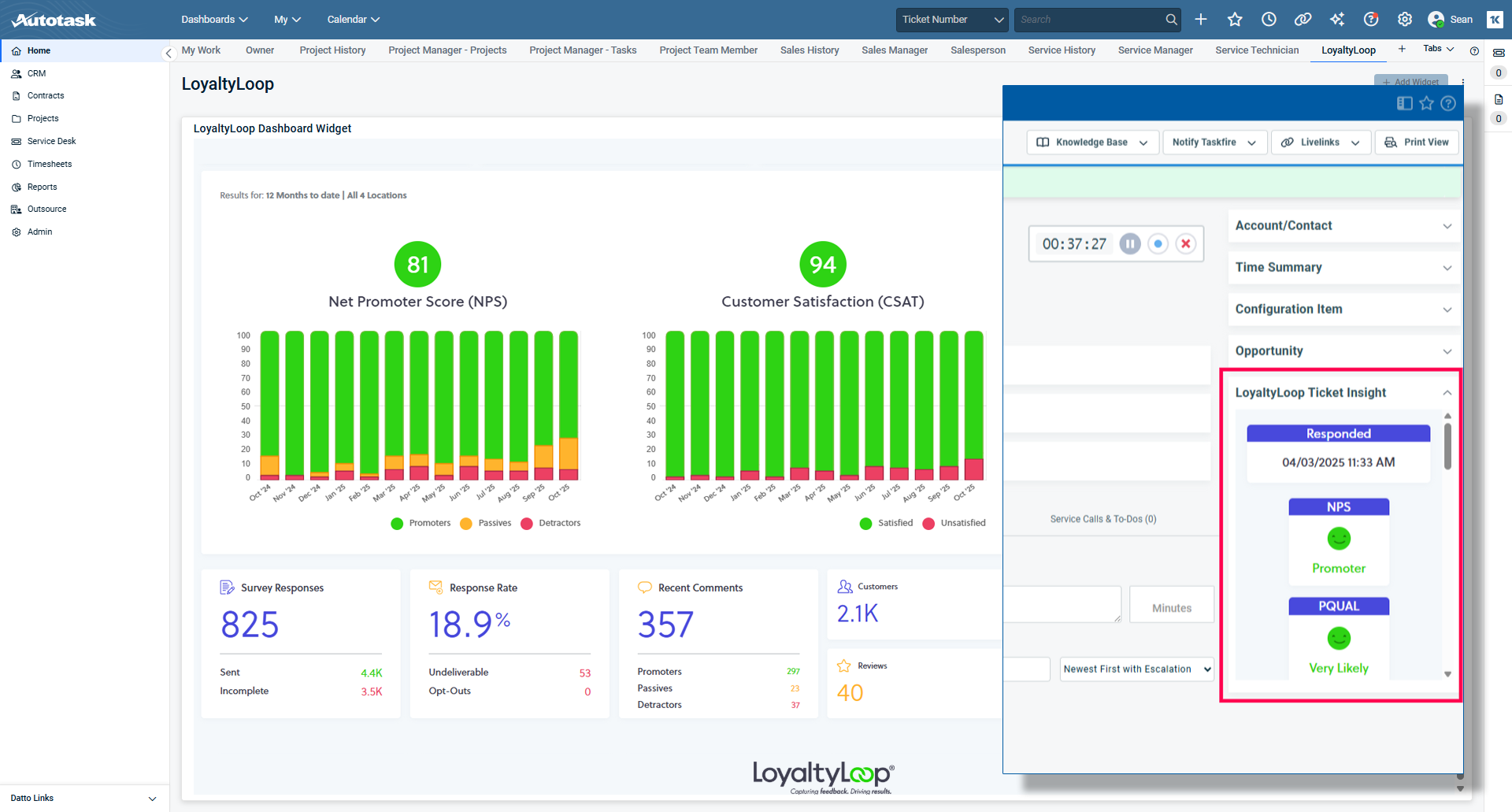
FAQs about the Autotask outbound integrations for LoyaltyLoop
Q: How much does this outbound integration cost?
A: Free. There is no additional cost to use the LoyaltyLoop outbound integrations with Autotask.
Q: What do the outbound integrations for Autotask do?
A: These integrations allow you to view LoyaltyLoop details from inside Autotask. You can embed your LoyaltyLoop Dashboard as a widget in Autotask, and you can add LoyaltyLoop results as a Ticket Insight on a Contact in Autotask.
Q: Can I access my LoyaltyLoop account from Autotask?
A: Yes. When viewing your dashboard widget or Ticket Insights in Autotask, you'll be able to click on those elements to take you to your LoyaltyLoop account.
Q: How do I enable the widgets and Ticket Insights in Autotask?
A: LoyaltyLoop customers should sign in to their account, then search our Knowledge Base for "Autotask widgets" or "Autotask insights". You will find the step-by-step instructions. You can always reach out to our Support Team for help at support@loyaltyloop.com (401-560-0311 option 3).
Q: How does the LoyaltyLoop dashboard widget appear in Autotask?
A: Your LoyaltyLoop dashboard renders in Autotask just as if you were signed in to LoyaltyLoop. You see your overall customer experience (CX) trends and other feedback metrics.
Q: How does the LoyaltyLoop data appear on a Contact's Ticket Insight?
A: When a Contact has provided feedback to your Helpdesk (Ticket) survey, their feedback response is attached to the Contact's record. You'll see a panel to the right named "LoyaltyLoop Ticket Insight", which will show you that Contact's most recent feedback, helping you be prepared when calling or engaging that Contact.