Sometimes you need to see things in a different light to fully grasp what you're looking at. Understanding how your customers feel about working with your business is easy with LoyaltyLoop. One of the great features of the Promoter and Premier plans is the advanced reporting from the feature Feedback by Filter.
Using Feedback by Filter you can isolate feedback in more detailed ways that help you understand your customers and business at a deeper level. This is accomplished by running reports that are filtered using the additional data you include with your survey launch file or integration.
For example, if you include the Sales Rep with your survey launch data, you can isolate NPS by Sales Rep, to understand how customers rate your business relative to the person managing the customer relationship. Any data field included in your launch data can be used as a filter. Creating Feedback by Filter reports can be particularly useful and illuminating.
This month, we release the ability to save your filters, so they are quickly available to you at any time. Here's how:
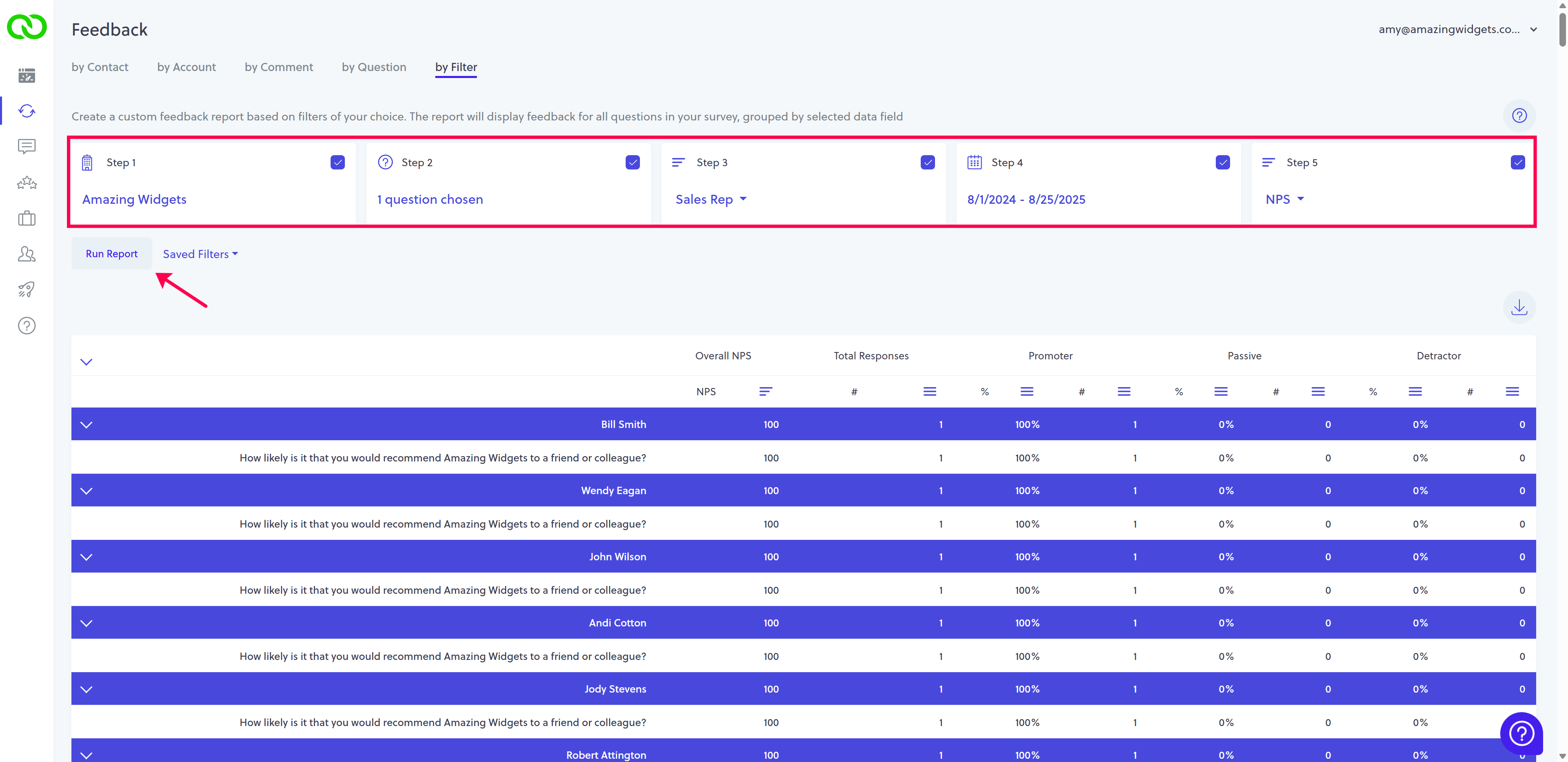
- Create your report by setting each of the 5 report attributes, and Run Report as usual.
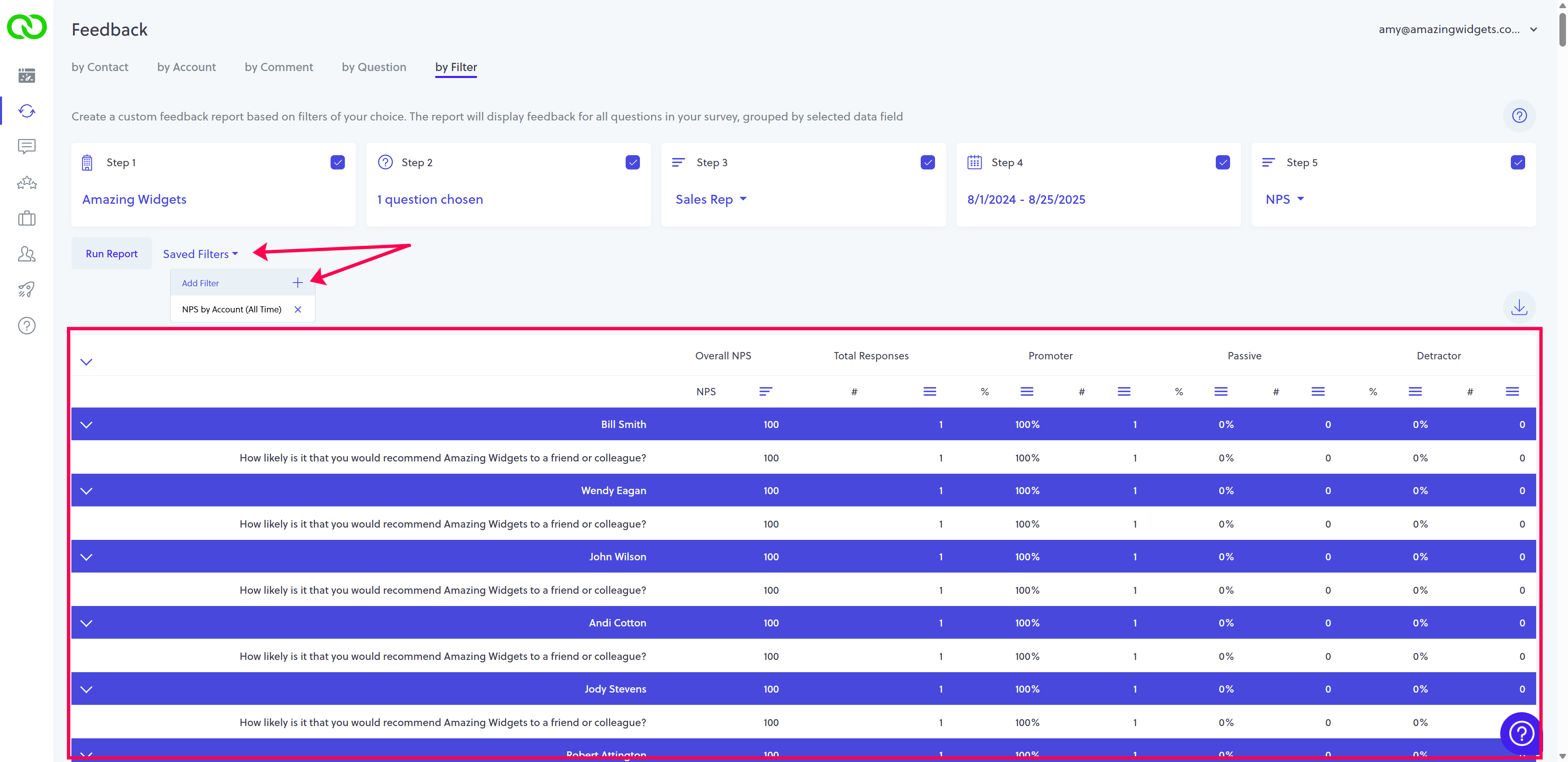
- Click Saved Filters, then the plus icon to Add Filter.
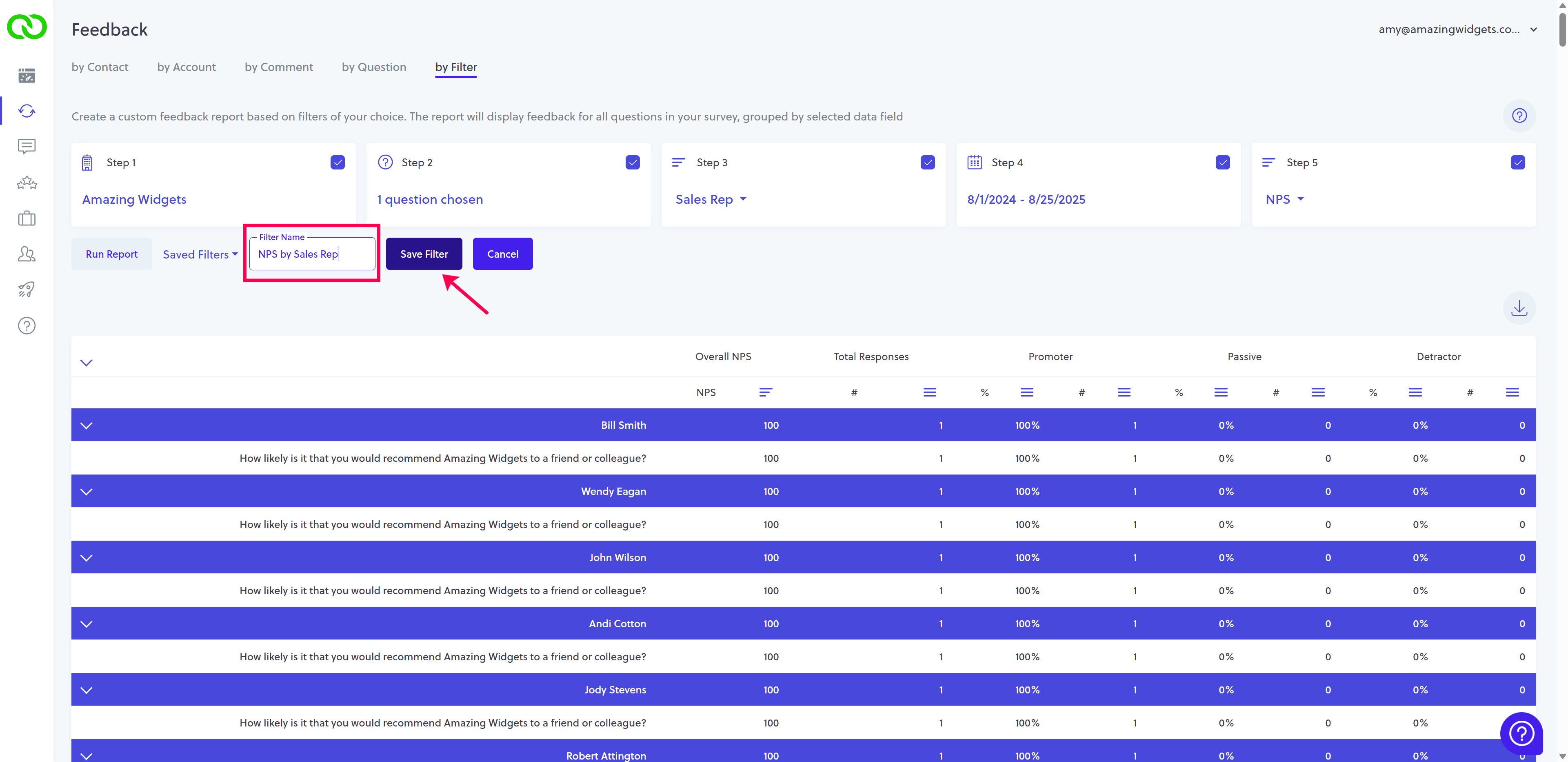
- Give the report filter a name, and then Save Filter.
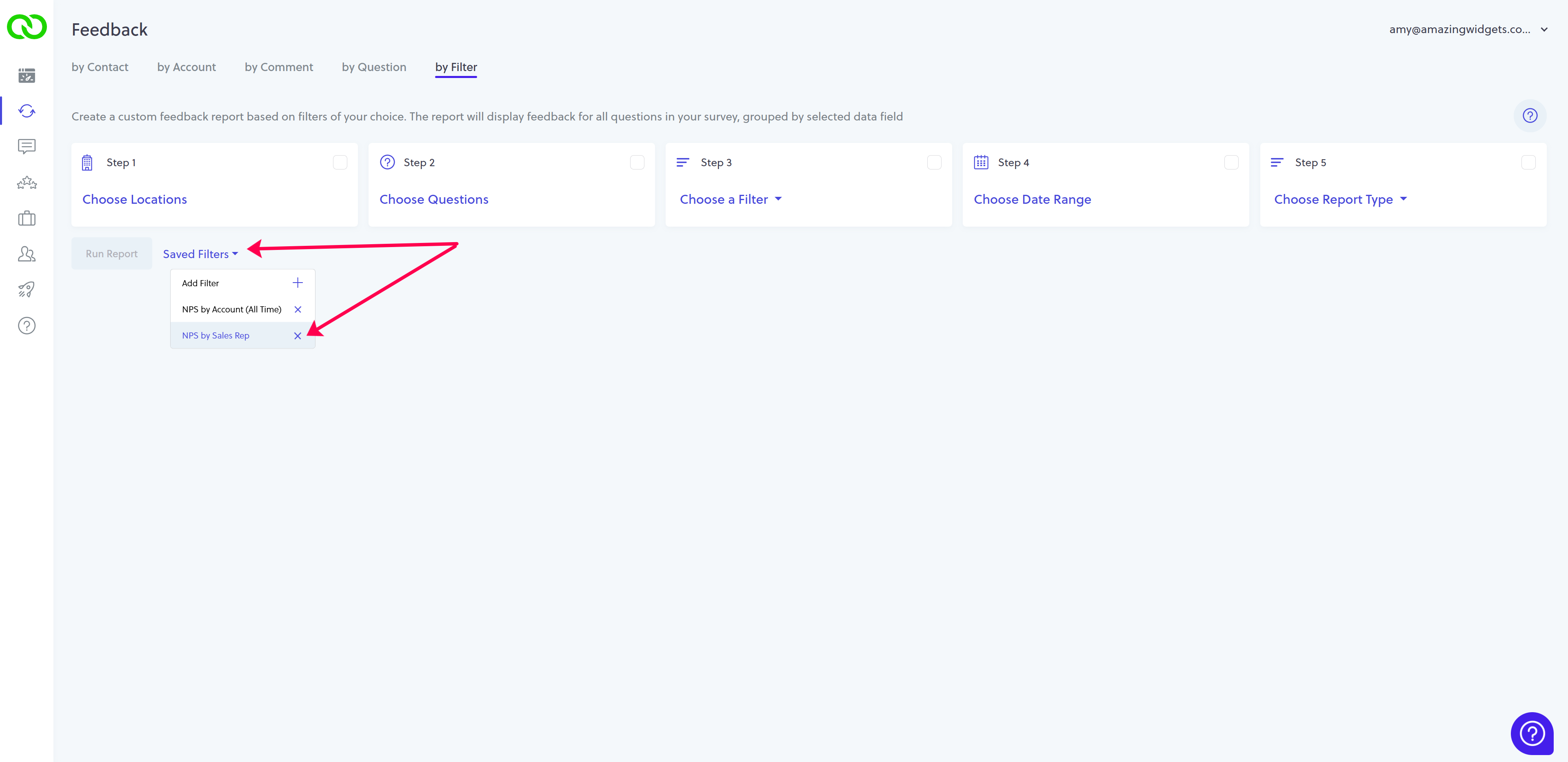
- To recall any saved filters, go to Feedback by Filter, click Save Filters, and click the one in question. All the filters will be loaded, and all you have to do is click Run Report.