
Using your Google Review link
There's been a change to the way Google formats your review URL and where to find it. As always, LoyaltyLoop surveys are a great way to automate the process to get Google reviews, but if you wanted to distribute it yourself, we want to help you obtain it.
Get Your Google Review Link from LoyaltyLoop
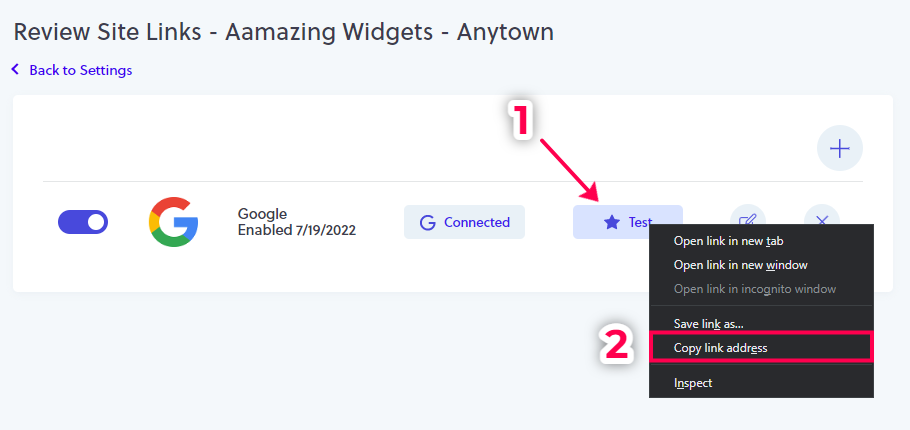
If you're a subscriber to the Promoter Plan, simply go to your Settings and then click on Review Sites in the Reviews section. Then, right-click on the Test button, and then click "Copy link address" in your browser menu. Your Google Review link is now copied to your clipboard. Paste the link to save it in a document or other location for use in the next steps.
Get Your Google Review Link from your Google Business Profile
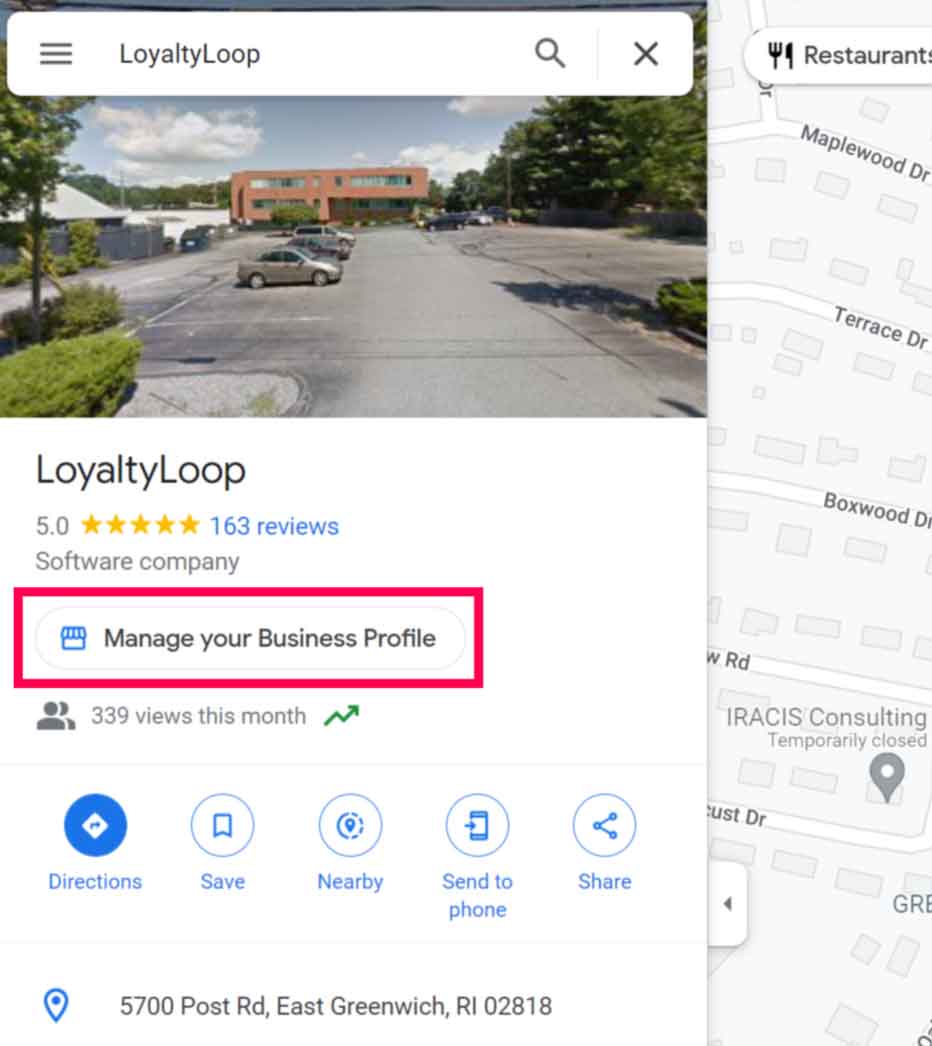
(1) Sign in to Google using the account you use to manage your Google Business Profile. Click the Google Apps icon (3x3 dot icon in upper right), and then click the Google Business Profile icon. Or, go to Google Maps and search for your company (while signed in with the Google account you use to manage your Google Business Profile), and click "Manage your Business Profile".
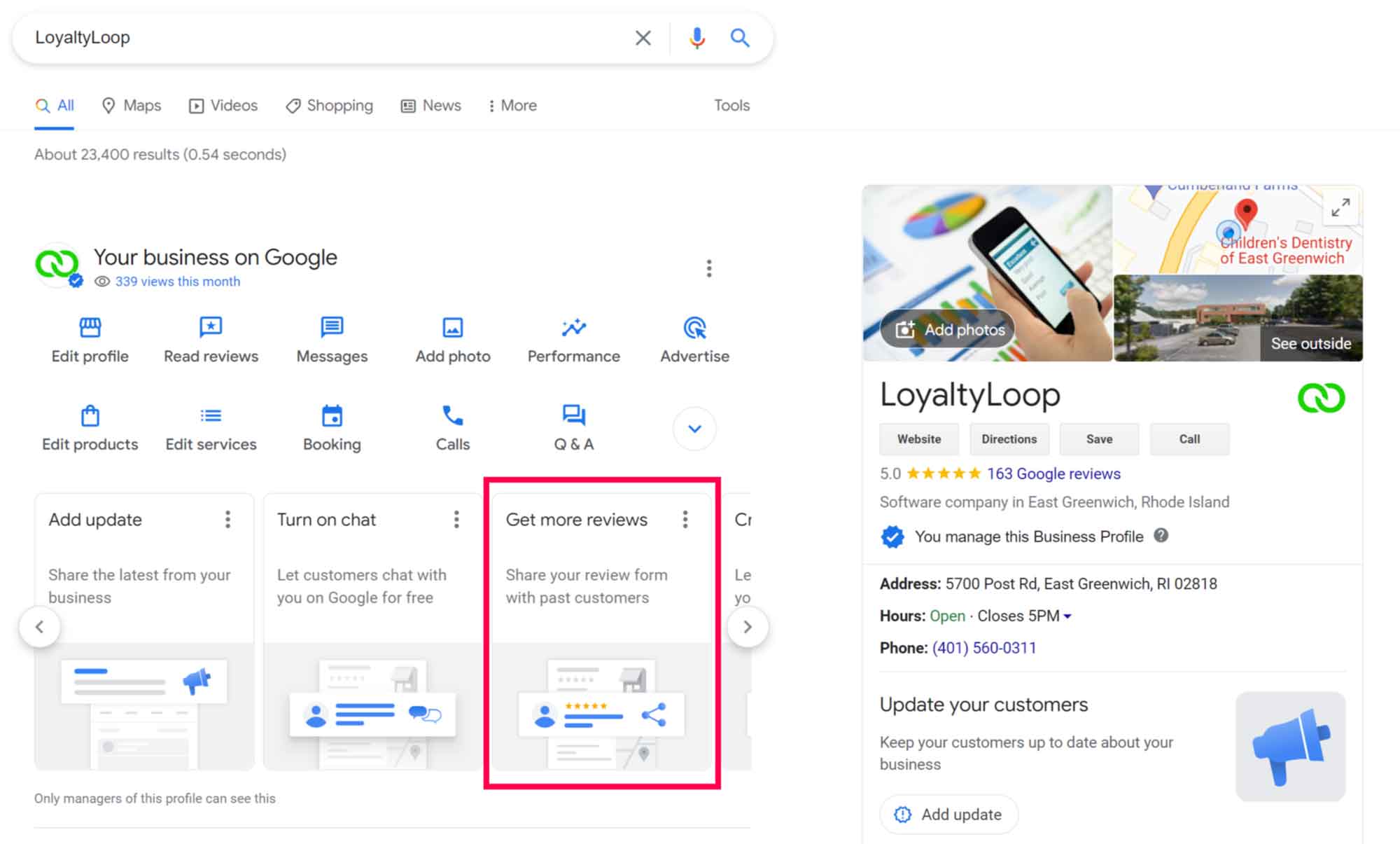
(2) In either case, Google will open your Google Business Profile as seen on Google. However, since you're signed in with the Google account you use to manage your Google Business Profile, you will see a special section on the page called "Your business on Google". Look for the section that says "Get more reviews" and click it.
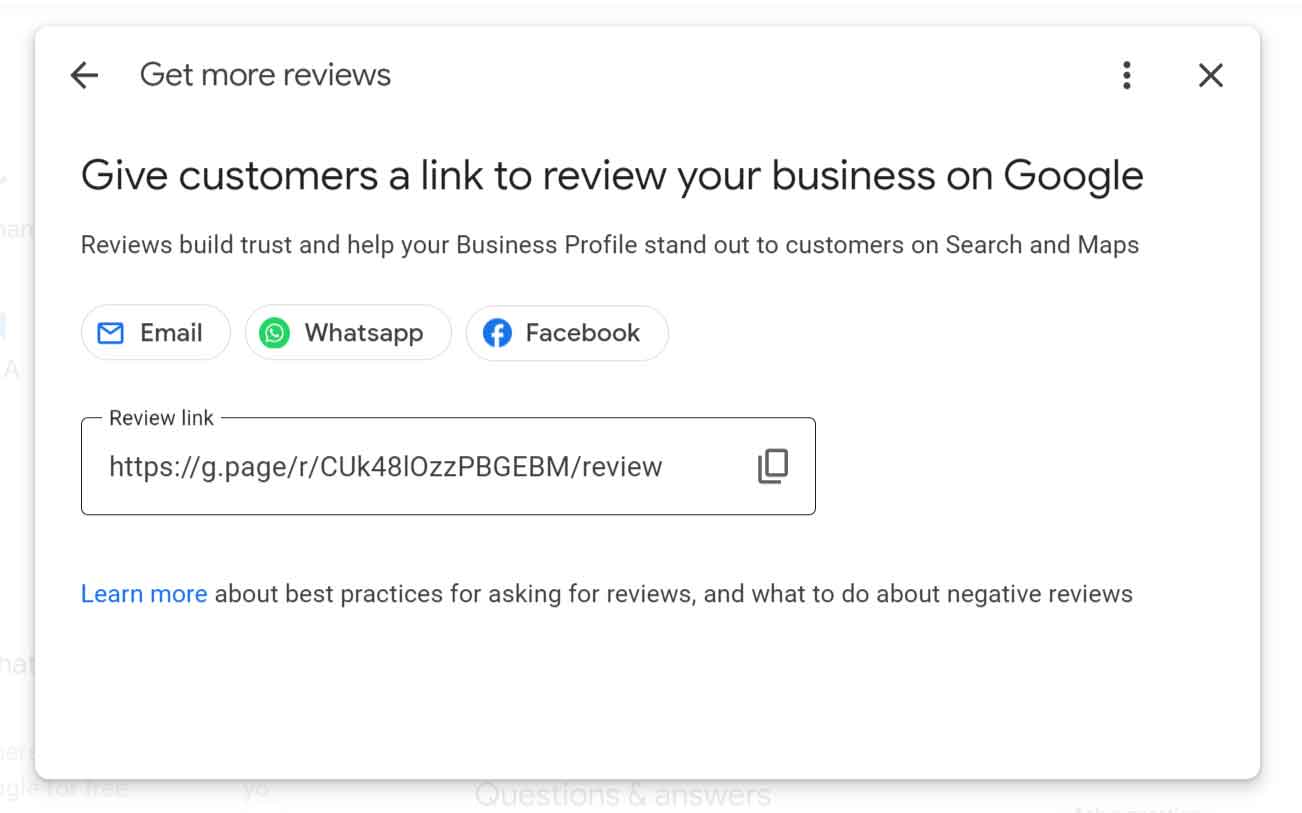
(3) Google will present your Google Review link, which you can copy for use in the next steps.
Using your Google Review link to get more reviews
Now that you have your Google Review link, here are 4 suggestions to get more reviews.
1 Add it to your email signature. Add a small bit of text to your email signature that reads, "Review us on Google!", and embed your link in that text. Every email you send will include an opportunity to get another review.
2 Add it your electronic receipts and invoices in a similar manner as adding it to your signature, which will give every purchaser a convenient method of posting a review.
3 Using one of the many free tools available, convert your Google Review URL into a QR code and place it in printed materials and other marketing. Place it on the back of your business cards, and make it a habit of giving it to customers after a purchase.
4 Run a follow-up Campaign in LoyaltyLoop (Promoter plan) to request reviews from customers surveyed in the past. LoyaltyLoop already provides a convenient email template for this, as a compliment to the automated review requests from your survey.
No need to use the Google URL here, it's built in! You simply choose the recipients, the template, adjust the wording if necessary and send. It's that simple. We covered this method in greater detail in our blog post here.