November 2025
 New Feature
New QuickBooks Online (QBO) Integration

If you use QuickBooks Online (QBO) in part to run your business and you keep track of customer details, LoyaltyLoop now offers a direct integration with QuickBooks to simplify and automate your customer feedback and review process. When using the LoyaltyLoop QuickBooks integration, your customer contact details for recent Invoices and Sales Receipts flow automatically into your LoyaltyLoop account.
New Feature
New Positive Feedback Alert

We all love positive feedback! This month, we added to the list of Alerts & Notifications. All plans receive the new Positive Feedback Alert. This alert is helpful when you wish to see each positive response immediately or share them with your team. Similar to the Poor Feedback Alert, this new alert fires immediately, but only following a Promoter response.


If you run your business on printIQ MIS you can easily automate your customer feedback and review process. This automation is handled using the native report scheduling functions in printIQ. With the automation set up, contacts from your recent transactions flow automatically to your LoyaltyLoop account on a daily basis.

In today's competitive landscape, businesses are constantly seeking new avenues for growth. While acquiring new customers is always a priority, a powerful and often overlooked strategy lies right within your existing client base: cross-selling strategies. At LoyaltyLoop, we believe that effective cross-selling isn't just about boosting sales; it's about deepening relationships, enhancing customer value, and ultimately, strengthening customer retention.
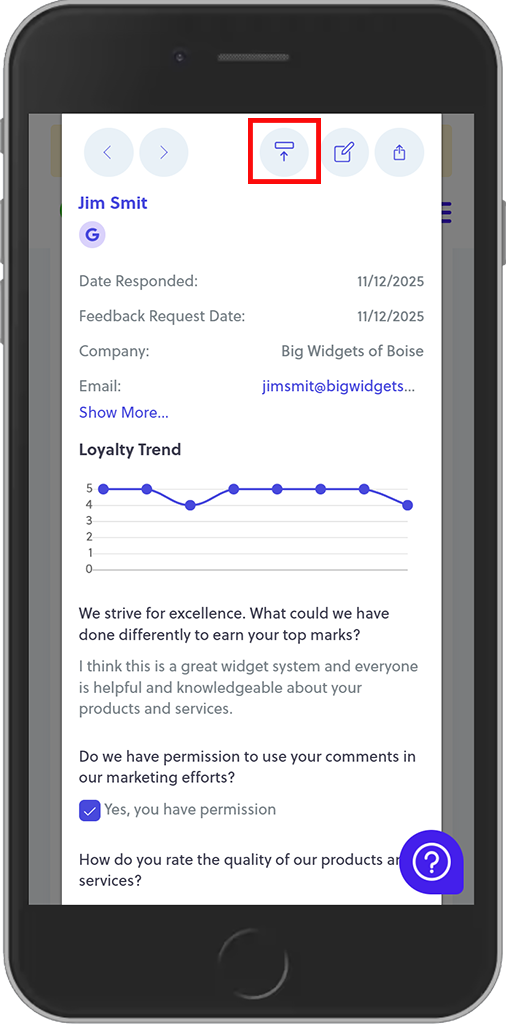
When viewing testimonials, the new quick publish buttons allow you to publish a testimonial in 1-click. This is particularly helpful when reviewing your testimonials from your phone. From the Testimonial view, click the plus (+) button to expand the table to see that customer's testimonial, or better yet, click anywhere on the row to pop-up that customer's survey response and testimonial.